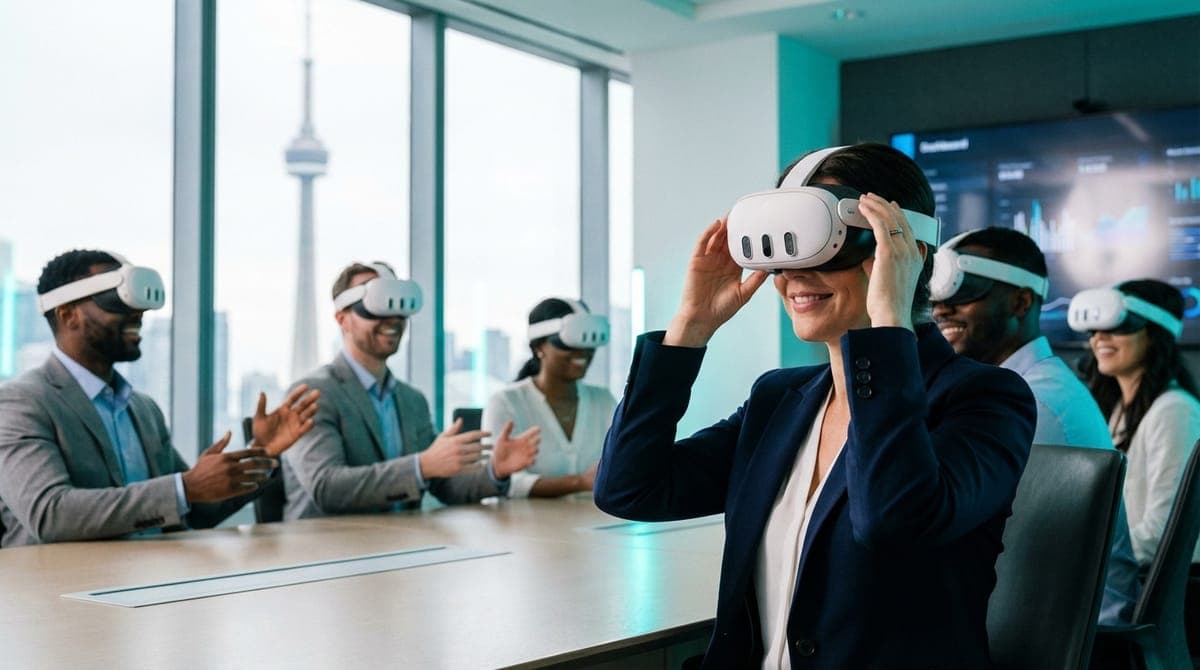
Zero nausea VR corporate events in Toronto are not just a marketing promise; they are an operational necessity. If you understand the physiology of the vestibular system, you know that motion sickness is a predictable response to bad tech and lazy planning. By utilizing Mixed Reality (MR) features, enforcing stationary locomotion mechanics, and deploying 90Hz+ hardware, we eliminate the sensory conflict that causes guests to feel ill. This is how we keep discomfort rates below 2% across 200+ local events.
I can spot the hesitation the moment I walk into a site visit. We’re standing in a boardroom in the Financial District or scouting a cavernous event hall at the Enercare Centre, and the event planner is nodding along as I explain the throughput numbers. But then the nodding stops.
"Okay, be honest. Is the VP of Sales going to throw up on his shoes?"
It is the most valid question in the industry. We all remember the "bad old days" of 2016 VR—shaky phone-based headsets, frame rates that dropped like stones, and rollercoaster demos that left people needing to lie down in a dark room for an hour. If that happens at your corporate social event, the technology isn't just a failure; it's a liability.
Here is the reality from a team that runs VR activations daily across the GTA: Motion sickness is not a random roll of the dice. It is a biological calculation. If you input garbage data (laggy visuals, artificial movement), you get a garbage output (nausea). We don't cross our fingers. We engineer the nausea out of the equation entirely through a strict four-pillar protocol: Hardware, Curation, Environment, and Facilitation.
Pillar 1: The Physiology of "Vection" and Sensory Conflict
To deliver zero nausea VR corporate events in Toronto, we first have to respect human biology. Motion sickness in VR is primarily caused by sensory conflict.
If your eyes tell your brain "We are sprinting down a hallway at 20km/h," but your inner ear (vestibular system) tells your brain "We are standing perfectly still on a carpet in Etobicoke," your brain panics. It assumes this sensory hallucination is caused by ingesting a neurotoxin. The biological response to poisoning? Nausea, to purge the stomach.
Our number one rule is maintaining 1:1 Motion Parity. When you move your body in the real world, you move in the virtual world. When you stop, the virtual world stops. We never, ever use "joystick locomotion" (pushing a stick to walk forward while your legs stay still) for corporate events. It is the fastest way to ruin a party.
Pillar 2: Hardware as a Safety Net (Why We Use Quest 3)
Hardware is not just about graphics; it's about latency. At VRPlayin, we have retired our older fleets in favor of the Meta Quest 3 Business Edition. There are three technical reasons why this specific headset is non-negotiable for comfort:
1. The 90Hz+ Refresh Rate
Older headsets ran at 60Hz or 72Hz. When a user turned their head quickly, the world would "drag" behind them by milliseconds. That micro-lag is imperceptible to the eye but screamingly obvious to the inner ear. The Quest 3 runs at a stable 90Hz to 120Hz. The visual response is instantaneous, keeping the vestibular system happy.
2. Pancake Lenses and the "Sweet Spot"
Previous generations used Fresnel lenses, which had a tiny "sweet spot" in the center. If the headset shifted on your face even 2mm, the image went blurry. Blurry images force the eyes to strain to focus, leading to tension headaches within 10 minutes. The Quest 3 uses pancake optics with edge-to-edge clarity. Even if a guest puts the headset on slightly askew, the image remains sharp and comfortable.
3. Passthrough and Mixed Reality ( The Game Changer)
This is the biggest innovation for corporate team building in Toronto. The Quest 3 allows for "Mixed Reality"—where digital objects are overlaid onto the real world via external cameras. This means the user can still see the floor, the walls, and their colleagues while playing. Because their peripheral vision sees the real, stationary room, their brain remains grounded. It is virtually impossible to get motion sick when you can see your own feet planted on the ground.
Pillar 3: Curation Beyond Titles (The "Settings" Menu)
Amateur operators download popular games and hope for the best. Professional operators know that the safety of a game lies in its settings menu. We don't just vet titles; we configure them specifically for sensitive first-time users.
The "Safe List" Configurations
Walkabout Mini Golf (Teleportation Only)
This is a staple for our event catalog. However, the default settings allow users to "fly" over the course. We disable this. We lock the settings to Teleportation. To move, the user points, clicks, and instantly appears at the ball. There is no sensation of movement, only arrival. We also enable Snap Turning, which rotates the view in 45-degree increments rather than a smooth, nausea-inducing pan.
Beat Saber (Stationary Mechanics)
This remains the king of corporate VR because it has zero artificial locomotion. The blocks fly at the player. The player does not move through the world. This requires a 2m x 2m footprint, but it guarantees comfort because the user's feet are the anchor. It’s high adrenaline, zero nausea.
Space Pirate Trainer (The 1:1 Box)
This allows guests to walk physically around a virtual platform. Because the virtual platform is the exact same size as our real-world play space, every step is real. There is zero disconnect.
The "Banned List"
Regardless of how popular they are, you will never see these at our corporate events:
- Richie's Plank Experience: Often used for shock value, but induces vertigo and balance loss. A liability nightmare for corporate clients.
- Rollercoaster Simulators: These are "vomit comets." They violate every rule of vestibular comfort.
- Flight Simulators: Unless accompanied by a physical motion chair (which costs $50k+), these are unsafe for standing guests.
Pillar 4: Environmental Engineering
We can bring the best gear in the world, but if the venue fights us, guests will feel unwell. When we plan mobile VR team building in downtown Toronto venues, we audit the room for three invisible factors:
1. Lighting and Tracking Jitter
VR headsets use cameras to track the room. If you host an event in a dimly lit lounge or a room with mirrored walls (common in Toronto dance studios or hotel ballrooms), the cameras panic. This causes the virtual world to "jitter" or swim. That jitter causes instant nausea. We bring infrared floodlights to maximize tracking stability in dark venues.
2. Temperature Control
VR generates body heat. A user in a headset will feel 5–10 degrees warmer than the room temperature. If the venue is a stuffy boardroom, guests will overheat, which mimics the early stages of nausea (sweating, flushness). We always position fans near the play space to create active airflow.
3. Flooring and Haptics
We prefer carpet. If we are in a concrete loft in Liberty Village, we lay down interlocking foam mats. Why? Because the tactile difference between the mat and the floor tells the user's feet exactly where the safe zone ends. Subconscious confidence in your footing leads to a more relaxed, less nauseous brain.
The Facilitator's Eye: Spotting "The Pallor"
Hardware and software get you 95% of the way there. The final 5% is human expertise. Our technicians are trained to watch the player, not the screen. We look for "The Pallor."
Before a guest feels sick, they display physiological signs:
- The Silence: A talkative player suddenly goes quiet.
- The Gloss: A fine sheen of sweat appears on the forehead/upper lip.
- The Slowdown: Their head movements become rigid and slow.
When we see this, we don't ask, "Are you gonna puke?" That suggests the outcome. Instead, we use a standard exit script: "Let's pause for a second to check the lens fitting."
We remove the headset, hand them a bottle of water, and let cool air hit their face. Usually, they just needed a 60-second biological reset. We then pivot them to a Mixed Reality experience where they can see the room. This active monitoring is the difference between a 2-minute break and a ruined evening.
Case Study: The Skeptical Law Firm
Last winter, we booked a holiday activation for a law firm in the PATH system near King Station. The managing partner was actively hostile to the idea. He had tried a Google Cardboard headset in 2015, felt sick instantly, and was convinced we were about to humiliate him in front of his associates.
We didn't argue. We set up a station specifically for him. We used Cubism on the Quest 3—a calm, seated puzzle game using hand tracking (no controllers) and Passthrough mode. He could see his office, his coffee, and his colleagues, but floating in front of him were holographic puzzle pieces.
Because he could see the room, his brain never triggered a nausea response. He played for 20 minutes, then asked to try Walkabout Mini Golf. By the end of the night, he was shouting instructions across the virtual green. He later told me, "I didn't feel a thing. It felt like the game was in the room with me, not like I was trapped in a box."
Hygiene: The Other Comfort Factor
Finally, we cannot ignore the "ick" factor. Psychological discomfort often manifests as physical discomfort. Putting on a headset soaked in a stranger's sweat is a surefire way to make someone feel gaggy.
Our hygiene protocol is hospital-grade:
- Silicone Interfaces: We replace the stock foam (which acts like a sweat sponge) with non-porous medical silicone.
- The Wipe Down: Between every user, the headset, controllers, and strap are wiped with antibacterial solution.
- UV-C Sanitization: For large events, we utilize UV cleaning stations for deep sterilization during rotations.
Planning Your Zero-Nausea Event
If you are looking to bring zero nausea VR corporate events to Toronto, you need a partner who prioritizes physiology over flashiness. Here is what we need from you to guarantee safety:
- Space: 8x8 feet per station is ideal, though we can work with 6x6.
- Power: Standard 15amp outlets are fine, but keep them clear of high-traffic footpaths.
- Trust: Allow us to veto games that don't meet our comfort standards.
Don't let the fear of motion sickness limit your event's potential. With the right hardware, rigorous curation, and experienced staff, the only side effect your guests will experience is a reluctance to give the headset back.
Ready to plan a safe, high-tech experience for your team? Get a custom proposal today and let us engineer the perfect, comfort-first VR package for you.
Planning a Corporate Event in the GTA?
Don't risk your team's comfort with amateur setups. We guarantee a curated, hygienic, and zero-nausea experience for groups of 10 to 300.
VIEW TEAM BUILDING PACKAGES