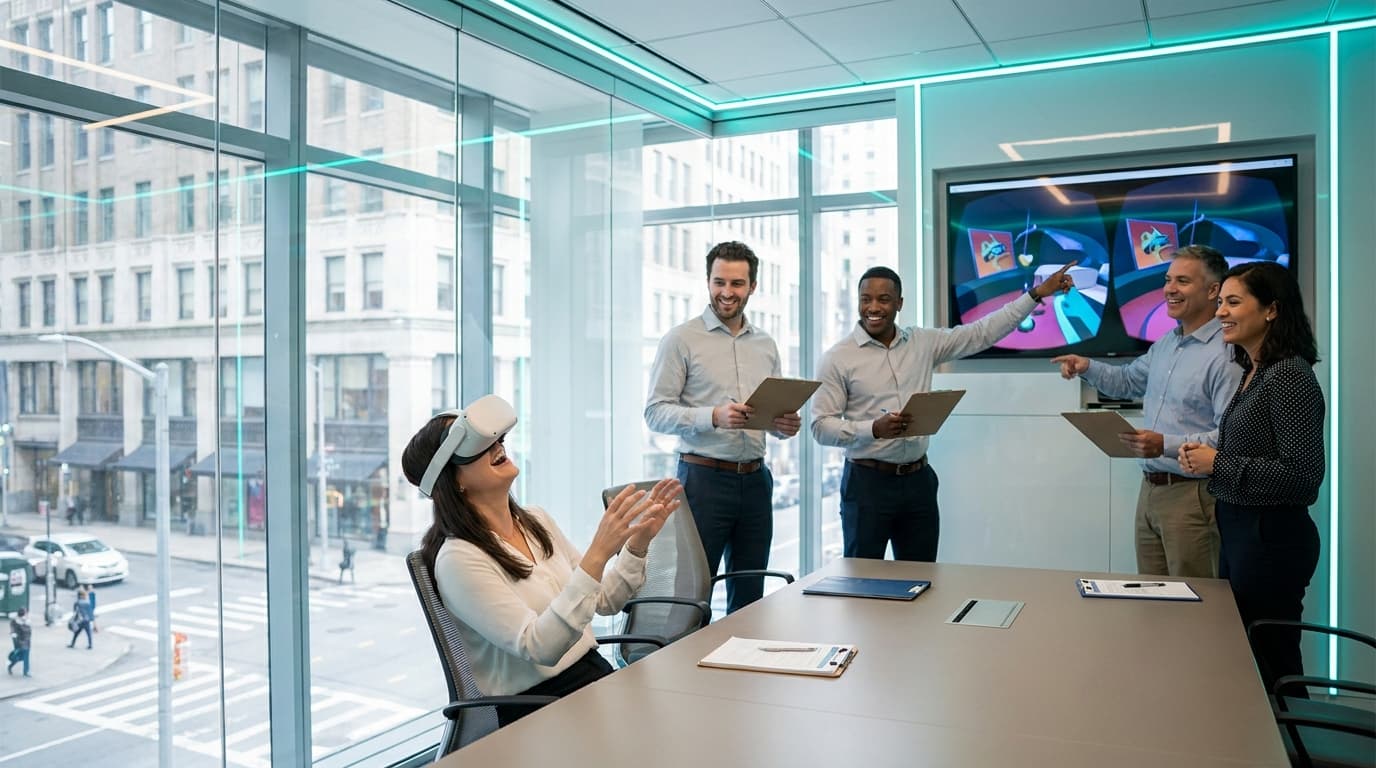
Testing your trade show booth ideas at office headquarters validates your lead-gen strategy before you risk a massive budget on the live expo floor. By setting up your exact technical footprint in a corporate boardroom, you can test crowd flow, refine your sales pitch, and ensure your team knows exactly how to bridge the gap between an entertainment hook and a qualified business conversation.
Imagine you have a 10x20 footprint booked at the Enercare Centre next month. The custom backdrop is printing, the branded swag is sitting in boxes, and your sales team is dreading another three days of staring at attendees walking past while desperately trying to make eye contact. You need a crowd-puller, but deploying untested concepts on a live floor is a massive financial risk.
I have run over 200 VR events across Toronto's corporate scene. I have watched marketing directors pace nervously while waiting for the convention center doors to open, praying their activation works. The ones who sleep soundly the night before? They ran a full dress rehearsal of their activation in their own office first. They already know exactly how many seconds it takes to cycle a guest through, where the sales reps should stand, and how to start a conversation while a prospect is engaged. Let's break down exactly how you execute this.
Why You Must Test Trade Show Booth Ideas at Office Locations
The Metro Toronto Convention Centre is loud, chaotic, and unforgiving. If your technology fails, your wifi drops, or your staff doesn't know how to manage a bottleneck, your lead generation engine collapses. Testing your setup in a Financial District boardroom or a Mississauga corporate office removes these variables.
We require a minimum of 6.5 x 6.5 feet (2m x 2m) per standing station for our Meta Quest 3 Business Edition headsets. By taping out this exact footprint in your office with painter's tape, your internal team can physically experience the spatial dynamics of the booth. You will quickly discover that managing foot traffic is an operational science. During an office test run, your sales team practices the most crucial skill: not interrupting the person wearing the headset.
The VR user is the bait; the spectators are the catch. We bring a spectator TV casting setup to every event for exactly this reason. As crowds gather to watch a guest play on the external screen, your sales reps have the perfect, non-intrusive opening to strike up conversations with the onlookers. This is how you build a lead quality engine rather than just an entertainment station.
The 4 Booth Roles to Drill in Your Boardroom
When executing a dress rehearsal, you cannot just have your staff stand around casually. You must assign and drill specific roles. A high-performing VR activation requires four distinct functions:
- The Technician: This person (usually our VRPlayin facilitator) manages the hardware. They wipe down the headset, adjust the IPD (Interpupillary Distance) dial, and launch the software. They never sell.
- The Shark (Sales Rep): They stand near the spectator TV. They never touch the VR hardware. Their sole job is to watch the screen alongside attendees and use the gameplay as an icebreaker to qualify prospects.
- The Qualifier: Positioned at the edge of the taped-out footprint, holding the lead-capture scanner or tablet. They manage the line and pre-qualify attendees before they even reach the headset.
- The Bait: During your office drill, this is a staff member acting as a clueless attendee. Have them intentionally misunderstand instructions or walk out of the taped boundary so your team can practice safely guiding them back.
Selecting the Right Games for Maximum Throughput
When curating a digital experience for an expo floor, duration is your biggest enemy. You cannot afford to have a single prospect occupy a station for fifteen minutes while a line of impatient attendees walks away. Based on our data from 200+ events, the sweet spot for an activation session is exactly 2 to 5 minutes per turn.
This requires highly specific game curation. If you want rapid turnover and instant accessibility, Fruit Ninja 2 is an absolute machine. It offers medium-intensity stress relief through classic fruit-slicing with dual swords. The mechanics are universally understood within three seconds—no complex button mapping, just swing your arms. More importantly, it is highly leaderboard-competitive. We use it to drive return visits to the booth, as attendees come back on day two to see if their high score has been beaten.
For high-adrenaline activations that command attention, we deploy Pistol Whip. This is a cinematic rhythm shooter where the user feels like John Wick, dodging bullets and shooting targets to the beat of heavy electronic tracks. The physical movement of the player creates a spectacle that stops foot traffic dead in its tracks. A sales rep can easily approach a spectator and ask, "Think you could beat their score?" and immediately scan a badge.
If you want to see exactly how these mechanics translate to live environments, you can explore our trade show VR activations for detailed case studies on throughput and crowd management.
Live-Event Troubleshooting Flowchart
Even with rigorous office testing, the live floor throws curveballs. I have cleaned 40 headsets at midnight after a 300-person gala, and I have swapped hardware with two minutes to spare before a CEO keynote. You need a battle-tested protocol. Here is the operational troubleshooting flowchart we use for mobile VR events Canada-wide.
- Scenario 1: The Player Freezes or Panics
Diagnosis: The user is overwhelmed by the immersive environment or doesn't understand the controls.
Action: The facilitator immediately references the spectator TV cast. We never physically touch the user. We say, "Look down at your right hand, press the trigger with your index finger." If discomfort persists, we pull the headset immediately. - Scenario 2: The Spectator Screen Lags
Diagnosis: Severe convention center WiFi interference. Ten thousand mobile phones in one hall will crush standard networks.
Action: We instantly switch the headset to offline mode. We rely on our proprietary enterprise networking gear to maintain the local casting feed, resulting in zero downtime. - Scenario 3: The Line Exceeds a 15-Minute Wait
Diagnosis: Session times are creeping past the 5-minute mark, threatening to deter new leads.
Action: The facilitator initiates a hard switch to arcade-style pacing. We load Fruit Ninja 2 in a 60-second blitz mode. The throughput triples instantly, and the energy of the crowd spikes as turnover accelerates.
Metrics to Track During Your Office Run-Through
Do not just play the games during your boardroom test—measure the logistics. You need baseline metrics before you hit the show floor. Track these three KPIs during your test:
1. Time-To-Headset (TTH): Start a stopwatch the moment a "guest" steps up to the station. How long does it take your tech to sanitize the unit, fit it to the user's head, hand them the controllers, and launch the game? Your target TTH is under 45 seconds. Anything longer, and your line will bleed into the aisle.
2. Total Session Duration: Measure the exact time from when the game starts to when the headset comes off. If a specific VR experience naturally runs for 8 minutes, it is too long for a busy trade show. You must find the settings to cap it at 3 minutes.
3. Conversation Start Rate: Have your sales team track how many mock conversations they successfully initiate while the guest is playing. If your reps are staring at their phones instead of the spectator TV, the drill exposes this flaw in private rather than at the Enercare Centre.
Execution Fundamentals: Hygiene and Nausea Management
When you present these activation plans in planning meetings, HR and Legal will immediately raise two objections: hygiene and motion sickness. You need hard answers, not vague reassurances.
We use medical-grade silicone face covers that are replaced between every single user. The hardware undergoes UV-C sanitization, and we manage antibacterial wipe-downs while the next user is being prepped. We provide dedicated hand sanitizer stations. It is a clinical process designed to keep the line moving safely.
Regarding motion sickness, the solution is strict content curation. We authorize zero-nausea experiences only for corporate events. This means stationary gameplay with absolutely no artificial locomotion. The user moves their physical body to dodge or interact, but the virtual floor does not slide beneath them. Across 200+ events, fewer than 2% of guests report any discomfort. Our facilitators are trained to spot early signs of tension and will immediately guide a user out of the headset.
Overcoming the Non-Gamer Objection
The most common fear I hear from marketing directors is that their target demographic won't participate. They assume C-suite executives or senior buyers will dismiss VR as a toy. This is entirely false if the experience is framed correctly. As an Executive Assistant at a major Toronto Law Firm noted after one of our deployments, "Even our executives who 'don't do games' were laughing and high-fiving in VR."
We specifically curate for non-gamers. The controls require zero gaming skill. Point, grab, throw—that's the entire learning curve. Once an executive realizes they don't need to memorize a controller layout, their competitive nature takes over. If you are struggling to visualize how this works for high-level B2B audiences, reviewing our brand activation solutions will show you how we integrate corporate messaging into accessible gameplay.
Expert Insight: The Art of the Handoff
Here is an operational reality you will only learn after running hundreds of these setups: the most critical moment of a VR activation is the exact second the headset comes off. The user's brain is flooded with endorphins, their heart rate is slightly elevated, and they are smiling. If your sales rep is standing five feet away looking at their phone, you just wasted the lead.
During your office test run, practice the handoff. As our VR technician unstraps the Meta Quest 3 and hands the user a sanitizing wipe, your sales rep needs to step in with a bottle of water and a targeted question. "How did you handle that last wave of targets? By the way, I noticed on your badge you're with [Company]—how are you guys currently handling [pain point]?"
That is the transition. From adrenaline to business in three seconds. If you execute that handoff correctly, you will pull a massive ROI out of your footprint.
Maximizing Your Booth Investment
An empty booth is a marketing failure; a crowded booth that generates zero pipeline is an operational failure. By validating your setup in an office environment first, you transition from hoping for the best to executing a proven strategy. You secure your 6.5 x 6.5 foot footprint, you test your offline networking capabilities, and most importantly, you drill your team on how to leverage the spectator screen for qualified conversations.
Before you finalize your floor plan for your next major expo, tape out a square in your boardroom. Run the drills, measure your Time-To-Headset, and ensure your team is prepared to turn a crowd of curious onlookers into a database of actionable leads. You can browse our full VR game catalog to start matching mechanics to your specific buyer personas.
Validate Your Strategy With a Boardroom Dress Rehearsal
Don't test your lead-gen strategy on the live expo floor. We’ll deploy our exact trade show VR setup in your Toronto office so your team can practice traffic flow, test game mechanics, and perfect the sales handoff before the doors open.
BOOK AN OFFICE TEST RUN