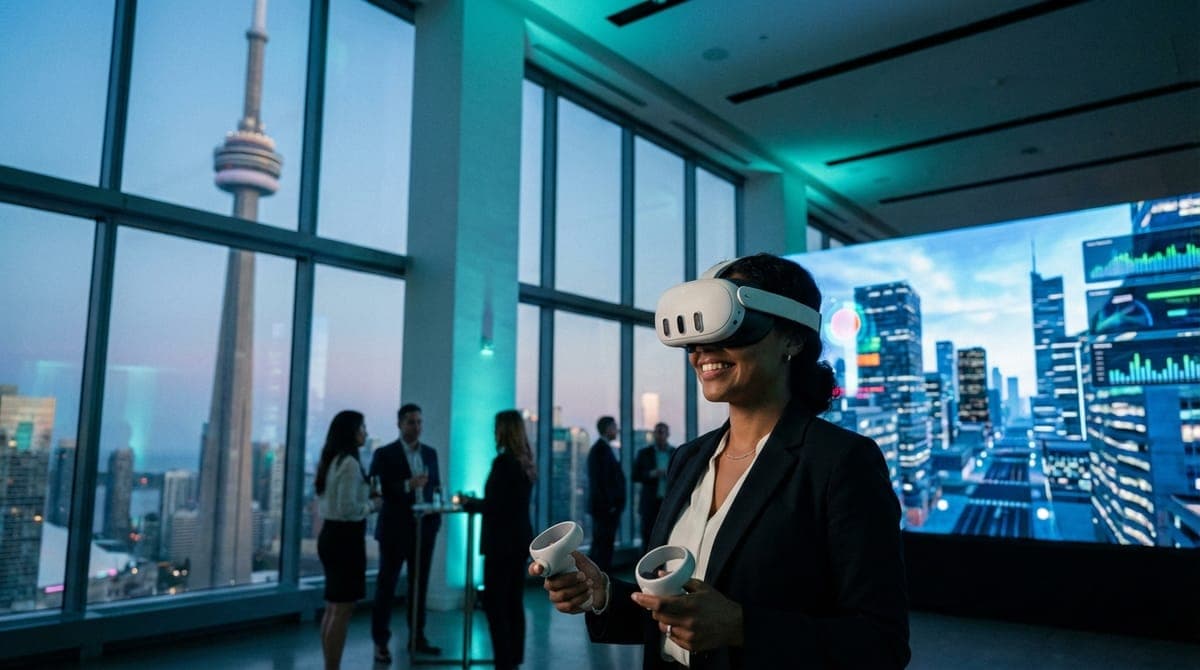
When you are scouting locations for an activation, the brochure never tells you the full story. It lists square footage and catering partners. It does not tell you that the "high-speed Wi-Fi" throttles speeds after 50 connections, or that the power outlets on the north wall share a circuit with the coffee urns, guaranteeing a breaker trip the moment your keynote speaker takes the stage.
I know this because I’ve lived it. As the operator behind VRPlayin, I’ve run over 200 VR events across the GTA. I’ve set up 40 synchronized headsets in ballrooms, boardrooms, and trade show booths. I have seen CEOs trip over hastily taped extension cords because a venue had poor outlet density. I’ve had to deploy enterprise-grade localized routers because a venue’s firewall blocked the specific UDP ports required for multiplayer gaming.
If you are planning VR team building packages or any activation involving heavy tech, you need a venue that functions as a technical partner, not a physical obstacle. Based on operational data from hundreds of setups, here is the unvarnished truth about the top 5 Toronto venues high tech corporate events can actually thrive in.
Evaluating the Top 5 Toronto Venues High Tech Corporate Events Need
We grade these venues not on their carpet patterns, but on three operational pillars:
- Power Density: Can we pull 15 amps continuously without voltage drops?
- Spectrum Hygiene: Is the Wi-Fi environment too noisy for wireless hardware?
- Logistics: Can we roll a flight case from the truck to the floor without navigating a labyrinth?
1. MaRS Discovery District: The Innovation Heavyweight
Neighborhood: Discovery District / University Ave
Best For: Large-scale corporate social events focused on innovation.
It sounds obvious, but the MaRS centre is built for this. When we run events in the lower atrium, the sheer height of the ceilings and the abundance of natural light creates a specific operational environment. For VR, specifically utilizing the headset-mounted cameras of the Meta Quest 3, lighting is critical for tracking. MaRS offers consistent, diffuse lighting that prevents controller drift—a technical nightmare in dimmer, mood-lit restaurants.
The Operational Reality:
The atrium is massive. This allows us to set up sprawling Walkabout Mini Golf stations without guests bumping elbows. In Walkabout, up to four players putt through pirate coves or space stations. It requires about 6.5 x 6.5 feet of clearance per player. MaRS has that space in spades, allowing for "Room Scale" setups rather than stationary standing spots.
Logistics & Load-In (The Insider Stuff):
The loading dock off Elizabeth Street is professional grade. Unlike some downtown hotels where you fight with food delivery trucks, MaRS has a massive freight elevator that opens directly near the atrium level. This means we can roll in fully assembled server racks or charging stations. If your tech stack is heavy, MaRS cuts your setup time by 30%.
Tech Specs:
Power access here is industrial grade. We rarely need to daisy-chain surge protectors, which keeps the floor clean and safe. Their internal IT team also speaks our language; if we need a specific port open for a LAN setup, they understand the request immediately.
2. Hotel X Toronto: The "Cinema" & High-Tech Conference Rooms
Neighborhood: Exhibition Place
Best For: Immersive presentations and VIP client entertainment.
Hotel X markets itself on luxury, but for an operator, it’s the infrastructure that wins. Their meeting spaces are designed with modern AV integrated from the start, not retrofitted into a 100-year-old building. When we come in to set up Spectator TV Casting—where we beam what the person in VR is seeing onto a large screen—Hotel X’s systems play nice with our Chromecasts and localized routers via HDMI passthroughs that actually work.
The Setup Scenario:
We recently ran a full VR game catalog activation here for a tech summit. We utilized their screening room for the main presentation, then moved to the break-out spaces for hands-on demos. The transition took 15 minutes because the cable runs were logical and accessible.
Why It Works for VR:
Acron: Attack of the Squirrels! is a hit here. This is an asymmetric game where one person is in VR and up to 8 people join via smartphones. It requires rock-solid Wi-Fi for the phones to sync. Hotel X’s bandwidth density is high enough to handle 50+ devices hitting the access points simultaneously without latency spiking. In older hotels, the APs (Access Points) get saturated and boot users off. Hotel X has high-density Cisco Meraki setups that handle the load.
3. Steam Whistle Brewing (The Hall)
Neighborhood: Entertainment District / Roundhouse Park
Best For: Energetic corporate social events that need character.
You might think an old train roundhouse is a bad fit for "high tech," but the contrast is exactly why it works. The Hall at Steam Whistle has undergone significant renovations to support heavy AV loads while keeping the exposed brick aesthetic. The juxtaposition of high-tech Meta Quest 3 headsets against the rustic timber beams looks incredible in event photography.
The "Beat Saber" Factor:
This is our go-to venue for high-energy tournaments. We often run Beat Saber stations here. Because Steam Whistle has excellent acoustics and sound systems, we can pump the game audio through the house speakers. However, the operational win here is the floor. It's concrete. In VR, users sometimes stomp or lose balance. Deep carpet (common in ballrooms) can actually be a tripping hazard for active VR. Steam Whistle’s firm, level floor is safer for active gaming.
Logistics & Load-In:
This is the easiest load-in in the city. It is ground level. We roll our flight cases directly from the bay to the floor. For a team that brings backup equipment (always) and cleaning stations for 300+ people, easy access means we’re set up in 60 minutes, not 90. No elevators means no bottlenecks.
4. The Globe and Mail Centre
Neighborhood: King East
Best For: Executive retreats and high-stakes corporate team building Toronto.
If you need to impress stakeholders, the panoramic views here are unbeatable. But from a tech perspective, the floor-to-ceiling windows present a unique challenge: Infrared Saturation.
VR headsets track movement using infrared cameras. Direct sunlight floods these cameras, causing the virtual world to "swim" or fly away. At most venues with windows, this kills the activation between 11 AM and 3 PM.
However, the Globe and Mail Centre has exceptional automated blinds and lighting control systems. We can darken a specific zone for the VR activation while keeping the bar area bright and inviting. This level of environmental control is rare. If you book here, ask for the "South Facing" blinds to be lowered during the keynote if you plan on using laser pointers or VR tracking.
Hygiene & Safety:
This venue attracts a clientele that cares deeply about hygiene. It aligns perfectly with our medical-grade protocol. We replace silicone face covers between every single user and use UV-C sanitization. In a pristine venue like this, seeing our staff actively sanitizing gear every 3 minutes reassures the skeptical CEO that it’s safe to put the headset on.
5. Metro Toronto Convention Centre (MTCC)
Neighborhood: Financial District / South Core
Best For: Massive trade shows and multi-day conferences.
The MTCC is the beast. It’s where you go when you need mobile vr team building for 500+ people. The advantage here is pure capacity. We can set up distinct zones: a "Chill Zone" with calming experiences like Ocean Rift, and a "Competition Zone" with active gaming.
The Union Factor (Crucial for Budgets):
Operators know that MTCC is a strict union house (IATSE). This means strict rules on who plugs in what. If you bring a PC-tethered VR setup (like an HTC Vive) that requires running cables and monitors, you may be required to hire union labor for the setup, and you will certainly pay for electrical drops at every station. These costs add up fast.
The Wireless Workaround:
Because our VR stations are largely self-contained and battery-operated (using Quest 3 Business Edition with extended battery straps), we avoid many of the expensive electrical drops. We charge our units at a single central station and swap them out. This saves our clients thousands in drayage and electrical fees. If you are booking MTCC, always ask your tech vendor if their equipment is "Wireless/Battery Operated" or if it requires a dedicated 15A drop per user. The difference in your final invoice will be shocking.
The Operator's Reality Check: What High-Tech Actually Requires
Regardless of which venue you choose from this list, there are physical realities you cannot ignore. I have seen great venues fail because the planner didn't account for the "human factor" of technology.
1. The "Motion Sickness" Myth vs. HVAC Reality
A common objection is: "What if my VP gets sick?" In over 200 events, fewer than 2% of our guests report discomfort. Why? Because we curate the content based on the ambient temperature.
Motion sickness is exacerbated by heat. A hot, stuffy room increases the risk immediately. All five venues listed above have excellent HVAC controls. If you book a venue with poor airflow, do not book high-action VR. Stick to stationary experiences. When touring a venue, ask: "Can we lower the temperature in the gaming zone to 19°C (66°F)?" If they say no, you're risking guest comfort.
2. The Wi-Fi Lie
"Free Wi-Fi" is useless for employee engagement activities involving tech. Public bandwidth is throttled. For multiplayer VR, we need low latency (ping), not just high speed. If a venue cannot guarantee us a dedicated SSID or a hardline we can hook our enterprise router into, we bring our own 5G backup hubs. When you are touring these venues, ask specifically: "Can you partition a slice of the bandwidth solely for our activation?" If they say no, get a custom quote from us, and we'll bring the network with us.
3. Space is Liability
We require a minimum of 6.5 x 6.5 feet (2m x 2m) per standing station. This isn't just for gameplay; it’s for liability. When someone is slashing blocks in Beat Saber, they are blind to the real world. If a venue tries to cram a VR station into a high-traffic hallway, we will say no. We carry liability insurance (which you should verify with any vendor 2 weeks prior), but the best safety feature is a properly planned floor map.
Case Study: The Financial District Turnaround
Last December, a major financial services firm hired us for a holiday party at a historic bank vault venue (not listed above) in the Financial District. The aesthetic was stunning—marble walls, thick steel doors. But operationally?
- The Problem: The thick walls blocked all 5G signals. The venue's Wi-Fi had a captive portal (a login page) that VR headsets couldn't bypass. We were effectively in a digital dead zone.
- The Pivot: Because we conducted a site visit 14 days prior, we knew this would happen. We didn't rely on the cloud. We side-loaded the headsets with local, single-player games like Space Pirate Trainer that run offline. We brought our own localized efficient LAN for casting to screens, independent of the internet.
- The Result: 300 bankers competed for high scores without a single connection drop.
If we had relied on the venue’s promise of "tech-readiness" without a site visit, that event would have been a disaster.
Final Advice for Your Site Visit
When you walk through these venues, stop looking at the chandeliers and look at the baseboards. Count the outlets. Check your phone's signal strength in the corners of the room. Ask the event manager if the lights can be dimmed in specific zones without pitch-blacking the whole room.
If you’re unsure if a space can handle a high-tech activation, don't guess.
Planning a High-Tech Event at One of These Venues?
We handle all the logistics—power, Wi-Fi, casting setup, and crowd flow—so you can focus on your guests. Tell us your venue and we'll build a custom VR package.
GET A CUSTOM VENUE QUOTE