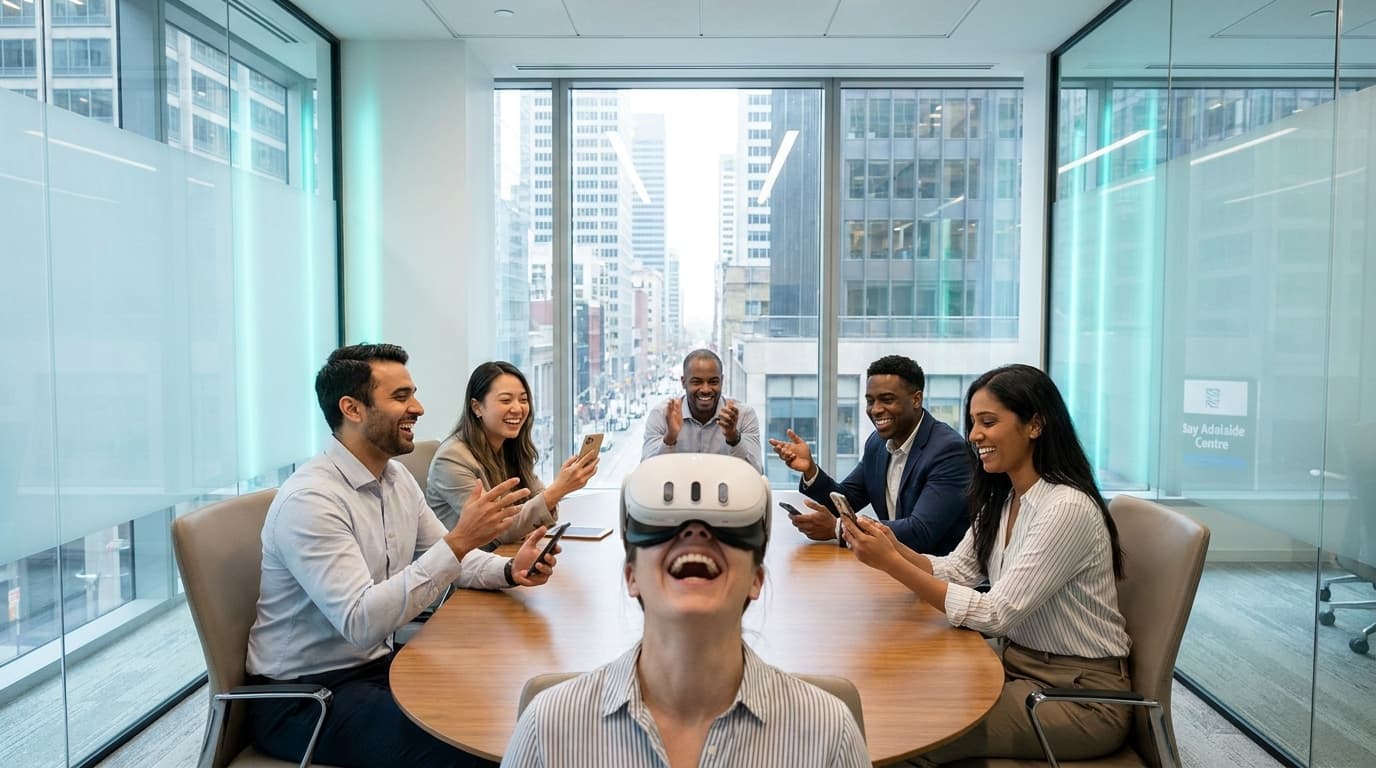
I remember cleaning 40 headsets at midnight after a 300-person corporate gala at the Liberty Grand, knowing we kept every single guest entertained without a single bottleneck. I also remember being hired to salvage a tech company's holiday party after their DIY entertainment plan created a 45-minute wait line that killed the room's energy within the first hour.
Event planners rarely want to talk about operational math. But when you book entertainment for a massive corporate group, math is the only thing that matters. If you fail to calculate team building activities toronto throughput, your event will flatline. Picture a 150-person corporate party with a strict three-hour window. If you book an activity that takes 15 minutes per person and only provides two stations, you process exactly 24 people. The remaining 126 guests spend their evening standing around, holding lukewarm drinks, aggressively checking their watches.
Throughput is the ultimate metric of event success. High throughput equals continuous participation, high energy, and zero idle frustration. Here is the exact operational playbook we use to engineer high-volume engagement using VR team building packages.
Calculating Team Building Activities Toronto Throughput: The 2-5 Minute Cycle
The secret to keeping a large room engaged is cycle time. At VRPlayin, our average session per guest is strictly managed to a 2-5 minute turnaround, scaling dynamically based on the event size and line depth. This ensures the queue moves fast enough to maintain anticipation, while giving each person enough time to hit a satisfying gameplay loop.
However, true throughput is not just about the single person wearing the Meta Quest 3 Business Edition headset. We deploy 50-inch spectator TV casting at every single station. By mirroring the headset view to a high-definition screen with zero latency, a 3-minute VR turn instantly transforms into an active entertainment piece for the dozen colleagues watching and cheering them on.
We drastically multiply your throughput footprint using asymmetric multiplayer experiences. Take Acron: Attack of the Squirrels! as the perfect baseline. One player puts on the VR headset and controls a massive, stationary tree trying to defend golden acorns. Simultaneously, up to eight other guests join the exact same game lobby using their smartphones, playing as rebel squirrels trying to steal the acorns.
We employ the same strategy with Keep Talking and Nobody Explodes, where one player in VR handles a ticking bomb, and four colleagues frantically flip through printed paper manuals to shout defusal instructions. You have just turned one 6.5 x 6.5 foot standing station into a highly collaborative, 9-person simultaneous activity. That is how you burn through a 100-person line in under an hour.
Managed VR vs. Traditional Entertainment: The Cold Hard Math
When you map traditional team building concepts against a strict two-hour corporate schedule, the structural cracks immediately show. I have watched organizers try to force complex 80-person escape rooms or slow-moving photobooths, only to realize the math mathematically guarantees failure. Let's compare the raw, unedited throughput of common corporate entertainment.
| Activity Type | Setup Requirements | Average Turn Time | Simultaneous Engagement | Throughput per Hour (1 Station) |
|---|---|---|---|---|
| Traditional Escape Room | Off-site travel required | 45-60 minutes | 4-6 people | 4-6 guests |
| DIY VR Rentals | Client manages tech | 15+ minutes (due to onboarding) | 1 person | 4 guests (assuming zero tech crashes) |
| Basic Photobooth | 45 minutes | 3-4 minutes | 2-4 people | 40-50 guests |
| VRPlayin Managed Mobile VR | 60-90 minutes | 2-5 minutes | Up to 9 people (asymmetric games) | 25 active players + dozens of spectators |
Corporate clients don't rebook us because of the games; they rebook us because we eliminate the operational nightmare of hardware management. We handle the 60-90 minute setup before your event starts, we manage the queue psychology, we swap the hardware, and we execute the 30-45 minute teardown afterward. You never lose throughput to a dead controller battery or a confused user.
Venue Logistics: Power Loads and Infrared Tracking Secrets
One of the first logistical hurdles planners face with corporate social events is whether their venue can actually support high-throughput tech activations. We scale our footprint entirely based on your chosen venue, but space is only half the equation.
If you are hosting a massive activation at the Metro Toronto Convention Centre or the MaRS Discovery District, we utilize the standard 6.5 x 6.5 feet (2m x 2m) per standing station. This provides ample room for full-body tracking, enthusiastic throwing, and spectator gathering. But we also audit your power draw. A cluster of four VR stations with four 50-inch casting TVs requires dedicated 15-amp circuits. We map this out with venue coordinators weeks in advance to ensure we never trip a breaker and halt your line.
If you are planning an intimate partner retreat in a Bay Street boardroom, we pivot to seated, stationary experiences requiring only a 3 x 3 foot footprint. But here is the operator secret: modern VR headsets use infrared cameras for spatial tracking. Direct sunlight from wrap-around glass boardroom windows will blind the headset cameras and crash the tracking. During our site audits, we identify these environmental hazards and either request the blinds be drawn or deploy our own infrared illuminators to guarantee flawless gameplay.
Live Event Troubleshooting Flowchart: Protecting the Queue
Even the best mobile vr events canada has to offer will face friction. The difference between a rental vendor and a managed operator is how violently they protect the throughput when friction occurs. We bring fully configured backup equipment to every single event. Our trained facilitators can hot-swap hardware within seconds for zero downtime. Here is our exact on-site diagnostic process.
Issue: The Venue Wi-Fi Drops
- Step 1: Facilitator instantly detects network lag or latency on multiplayer casting setups.
- Step 2: We seamlessly switch the station to offline, single-player content (like Beat Saber or Space Pirate Trainer) without asking the guest to remove the headset.
- Step 3: While the queue continues moving offline, our lead technician deploys our backup 5G enterprise networking gear to bypass the venue's failing router entirely.
Issue: The Headset Battery Hits 10%
- Step 1: Facilitator monitors telemetry and battery levels between guest changeovers via tablet.
- Step 2: Facilitator hot-swaps our magnetic extended battery straps.
- Step 3: The physical swap takes exactly 15 seconds. The line never stops moving.
Issue: Hygiene Concerns Slowing Down Turnover
- Step 1: A guest in line hesitates to put on a headset previously used by a sweating colleague.
- Step 2: Facilitator peels off the medical-grade silicone face interface.
- Step 3: A fresh, sanitized interface is snapped into place in under ten seconds, and the lenses are wiped with an optical-grade microfiber cloth. The used cover goes directly into our UV-C sanitization queue.
The Non-Gamer Objection: Why Job Simulator Saves Throughput
Planners constantly ask if their older executives or non-technical staff will actually participate, or if they will clog the line trying to figure out the controls. The answer comes down entirely to full VR game catalog curation. If you drop a VP of Finance into a complex tactical shooter requiring joystick locomotion and reload mechanics, your throughput dies instantly because the facilitator has to spend five minutes explaining the buttons.
Our highest-throughput experiences require zero gaming literacy. Cook-Out, Walkabout Mini Golf, and Job Simulator are universally intuitive because they rely on 1:1 real-world physics. In Job Simulator, guests are dropped into a parody of office life run by robots. The quiet data analyst suddenly becomes a chaotic menace in a virtual cubicle, throwing digital coffee mugs at robot bosses. First-timers grasp the mechanics in ten seconds flat: you reach out, grab the object, and throw it. No button memorization required.
Managing the Variables: Motion Sickness Protocols
Across our 200+ completed events, fewer than 2% of guests report any motion sickness discomfort. Why? Because we ban artificial locomotion from our corporate event catalogs. We specifically curate zero-nausea experiences. You physically walk in the real world to move in the digital world, or you play a stationary game. If a guest shows early signs of hesitation or balance issues, our facilitators are trained to switch them to a seated, ultra-comfortable experience immediately, ensuring they still get to participate without holding up the line.
"Our activation booth had a line wrapping around the corner the entire conference. VRPlayin managed the crowd perfectly and made us the talk of the show." — Marketing Director, Tech Enterprise
We are based in Toronto, but our mobile operations travel anywhere across Canada. We operate on a transparent pricing model based on event size, duration, and the required number of stations, with a standard 50% deposit to secure your date. You provide the guests and the floor space; we provide the commercial hardware, the hygiene protocols, the trained facilitators, and the ruthless throughput math required to make your event an undisputed success.
Fix Your Event Throughput with Managed VR
Stop paying for activities that leave half your guests waiting in line. Our facilitators handle the setup, the hardware, and the crowd control for mobile VR team building so your entire team actually gets to play.
SEE TEAM BUILDING PACKAGES