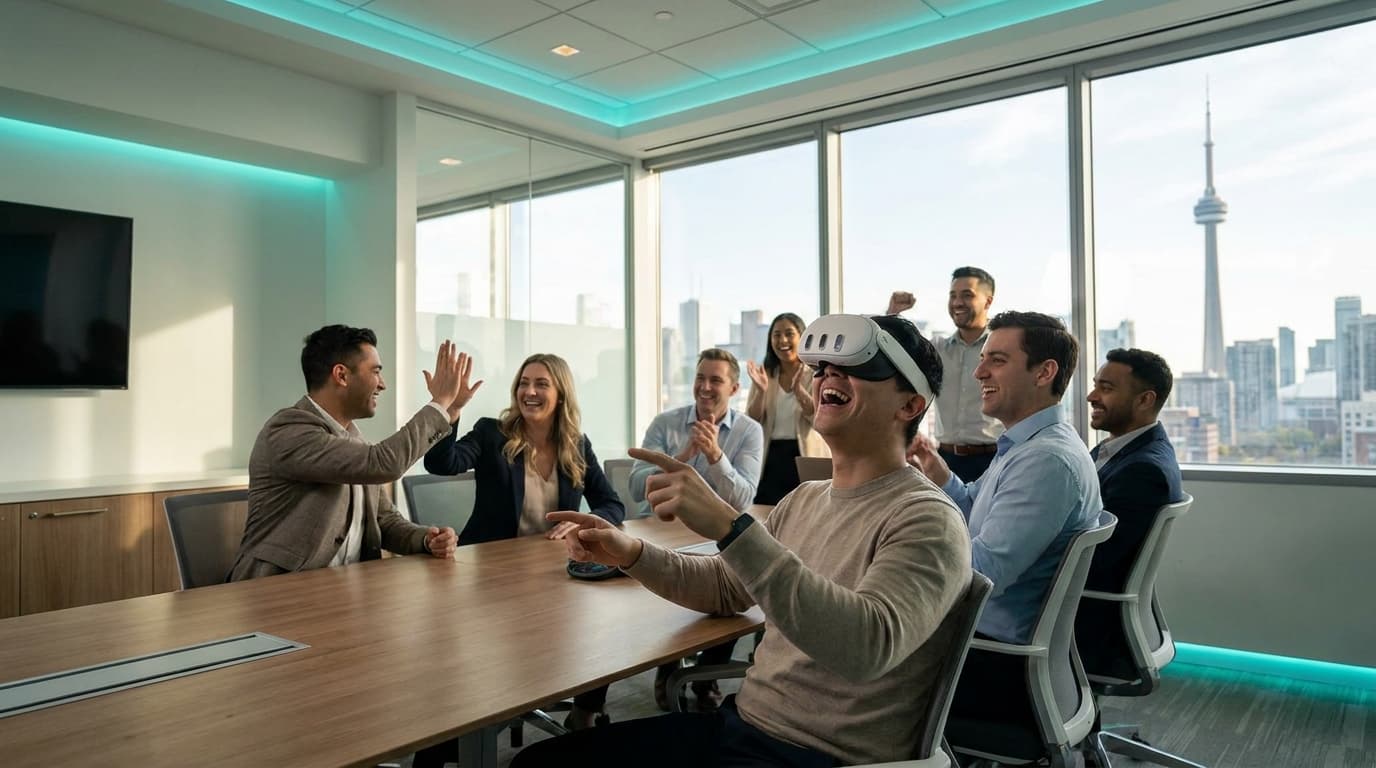
I have wiped down enough Meta Quest 3 headsets at 1 AM inside the Metro Toronto Convention Centre to know exactly what runs through an HR manager's mind before booking an interactive activation. You want your colleagues laughing, collaborating, and staying off their phones. You also do not want to be responsible for a company-wide pink-eye outbreak. If you are actively researching a team building activities toronto hygiene protocol, you are exactly the type of meticulous event planner we prefer to work with. You already know that sanitation is the silent barrier between a packed activation and an empty room.
We have run over 200 corporate events across the Greater Toronto Area. I have watched quiet data analysts scream with laughter while defending virtual trees, and I have seen skeptical CEOs push their way to the front of the line for a second turn. I also know that none of that happens if the equipment looks dirty, feels damp, or requires guests to fumble with confusing straps.
You are likely comparing a few different entertainment vendors right now. You need something that scales for a mixed crowd, requires zero physical prowess, and keeps people engaged even when it is not their turn. Here is exactly how we deliver that result, completely managed, using medical-grade sanitation and zero-downtime hardware setups.
Swap Awkward Icebreakers for Asymmetric VR in the Financial District
Traditional trust exercises fail because they force artificial vulnerability. If you book a Bay Street boardroom and ask 40 accountants to share their deepest fears, you will get 40 people checking their watches. You need shared friction, not forced bonding.
This is where asymmetric gameplay completely alters the room's dynamic. Consider Acron: Attack of the Squirrels!. We put your VP of Finance into the VR headset as a giant, stationary tree defending a stash of golden acorns. Meanwhile, up to eight other colleagues pull out their own smartphones, connect via a simple room code, and play as squirrels actively trying to steal those acorns from the VP.
Suddenly, one single VR station turns into a loud, highly competitive 9-person activity. The folks who are completely terrified of putting a screen over their eyes still get to play, strategize, and yell instructions from the safety of their iPhones. You get all the benefits of high-energy team building ideas without forcing anyone out of their comfort zone.
For teams looking to improve direct communication, we deploy Keep Talking and Nobody Explodes. One participant wears the headset and sees a complex, ticking time bomb in a virtual room. They cannot see the defusal manual. Their colleagues sit at a table outside of VR with a physical, 20-page printed manual. The team must talk each other through complex wire-cutting and symbol-matching under a strict 5-minute timer. It is loud, chaotic, and instantly reveals team communication dynamics.
Comparison Framework: DIY Rentals vs. Managed mobile vr events canada
I frequently speak with office managers who tried to save budget last quarter by renting consumer headsets and running the activity themselves. They usually tell me the exact same story: the headset batteries died after 90 minutes, nobody could figure out how to cast the video to the 65-inch TV, and half the team stood around waiting while an IT guy frantically tried to bypass the hotel's Wi-Fi captive portal.
If you are evaluating mobile vr events canada vendors, you need to understand the profound structural difference between an unmanaged rental box and a fully managed operational deployment.
The Unmanaged Rental Nightmare
- Hardware: Consumer-grade fabric straps that pinch heads, absorb sweat, and rely on internal batteries that die in under two hours.
- Setup: A cardboard box arrives. You have to draw the digital Guardian boundaries yourself, hoping no one punches a structural pillar.
- Network: You fight with your corporate firewall to download mandatory Meta firmware updates right as the party starts.
- Sanitization: A single bottle of harsh chemical wipes that degrade the headset lenses and irritate sensitive skin.
The VRPlayin Managed Event Execution
- Hardware: Meta Quest 3 hardware upgraded with halo-style continuous power straps (like BoboVR) featuring hot-swappable magnetic batteries for continuous 6-hour operation.
- Setup: Our technicians arrive 90 minutes prior. We deploy 24-inch interlocking anti-fatigue mats. These mats act as a tactile physical boundary; when a guest's foot steps off the mat, they know they are at the edge of the safe zone without triggering immersion-breaking digital grids.
- Network: We bring our own dedicated 5GHz local routers. We do not rely on your venue's Wi-Fi to cast the VR gameplay to the spectator TVs. It operates on a closed, zero-latency local loop.
- Facilitation: We physically guide users, explain the controls in 15 seconds, and enforce strict 3-to-5 minute rotations to guarantee high guest throughput.
If you want to see exactly how we map out physical floor plans for larger crowds, review our VR team building packages.
Executing the team building activities toronto hygiene protocol
Let us address the most common objection directly. You cannot hand a sweaty piece of foam to a senior director in the middle of a corporate social. It is unprofessional and unsanitary.
We do not use the stock fabric facial interfaces that come in the box. Before any event, we upgrade every single headset with non-porous, medical-grade silicone face covers. Silicone does not absorb moisture, makeup, or skin oils. Between every single user, our trained technicians step in and execute a rigid, highly visible cleaning process.
Our baseline team building activities toronto hygiene protocol involves wiping down the silicone interface, the controllers, and the halo head straps with alcohol-free, skin-safe antibacterial wipes specifically formulated for VR optics. However, the real work happens before and after your event.
Back at our facility, all equipment undergoes strict UV-C light sanitization using specialized hardware similar to Cleanbox Technology. These machines bathe the headsets in multi-directional UV-C light, eliminating 99.99% of bacteria and contagions in 60-second cycles. We treat our hardware with the exact same rigor a dental office uses for their shared tools. Your guests will visibly see our on-site staff cleaning the equipment between turns, which provides immediate psychological comfort and encourages higher participation rates.
The Pre-Event Stakeholder Briefing Template
Running a seamless event at a venue like the Evergreen Brick Works, a Yorkville event space, or your own office cafeteria requires clear communication across your internal teams. I use this exact technical checklist during our planning calls to ensure zero friction on event day.
Venue or Facilities Manager Responsibilities
- Allocate a minimum of 6.5 x 6.5 feet (2m x 2m) of empty floor space per standing VR station to accommodate our tactile floor mats.
- Ensure the ceiling height is at least 8 feet to allow for upward arm movements without hitting light fixtures.
- Provide access to standard 15-amp, 120V wall outlets within 15 feet of the setup area for our TVs and battery charging stations.
- Confirm loading dock access and service elevator availability 90 minutes prior to the event start time.
Corporate IT Department Responsibilities
- If multiplayer internet access is required, review our hardware MAC addresses in advance if your network uses strict device filtering.
- Whitelist the specific outbound ports required for multiplayer matchmaking (we provide the exact Meta and SteamVR documentation).
- Provide a dedicated SSID bypassing captive portals, or authorize us to deploy our localized 5GHz router strictly for TV casting.
HR or Event Planner Responsibilities
- Approve the final game catalog selection based on your specific goals (high-energy throughput vs. deep collaboration).
- Determine if you require a formal tournament bracket (which we manage via iPad leaderboards) or an open free-play format.
- Process the booking deposit to secure the backup hardware and dedicated technicians for your date.
Decision Criteria: Managing Throughput for Groups of 40+
The operational math of corporate team building toronto events is unforgiving. If you have 40 guests and one activity that takes 15 minutes per person, the event will bottleneck, and people will leave. You need high-throughput experiences.
Our average corporate group size is 40-75 guests. To keep the room's energy high, we utilize games with massive spectator appeal and strict, short loop times. Enter Beat Saber. It is the world's most popular VR game for a very specific operational reason: you stand on a platform holding two virtual light blades and slash flying blocks to the beat of high-energy music. It requires zero gaming literacy. You point, you swing, you sweat.
A typical Beat Saber track lasts exactly three minutes. We cast the player's view to a large television so the crowd can watch them aggressively miss a block and laugh along with them. This creates a natural, self-regulating 3-minute rotation cycle. Guests get their heart rate up, step out, high-five their colleagues, grab a drink, and the line moves constantly. If you are planning a holiday party or a post-meeting mixer, this rapid rotation is critical for ROI. You can explore how we structure these specific timelines in our corporate social events overview.
The Verdict from Toronto's Event Planners
We maintain a 4.9-star Google rating precisely because we treat the logistics, the hygiene, and the throughput with the exact same importance as the entertainment itself. We bring backup equipment to every single booking. If a left controller develops analog stick drift, or a headset refuses to connect to the casting router, our technicians swap it out from a Pelican hard case in under two minutes.
As one VP of People & Culture at a local SaaS company recently told us: "We've booked VRPlayin three times now. Each event, they handle all the tech friction flawlessly, and the team absolutely loves it."
You do not need to be a technical expert to host a flawless tech-driven event. You just need an operational partner who knows exactly where the pitfalls are and has the hardware, the strict hygiene standards, and the trained staff to avoid them entirely. If you want to see exactly what kind of software we run to achieve these results, browse our full VR game catalog to find the exact experiences we deploy for Toronto's top companies.
Let Us Handle the Hardware, the Hygiene, and the Setup
Stop worrying about Wi-Fi connections and sticky equipment. We bring fully managed, medically sanitized mobile VR directly to your Toronto office or off-site venue to keep your team energized and engaged.
SEE TEAM BUILDING PACKAGES