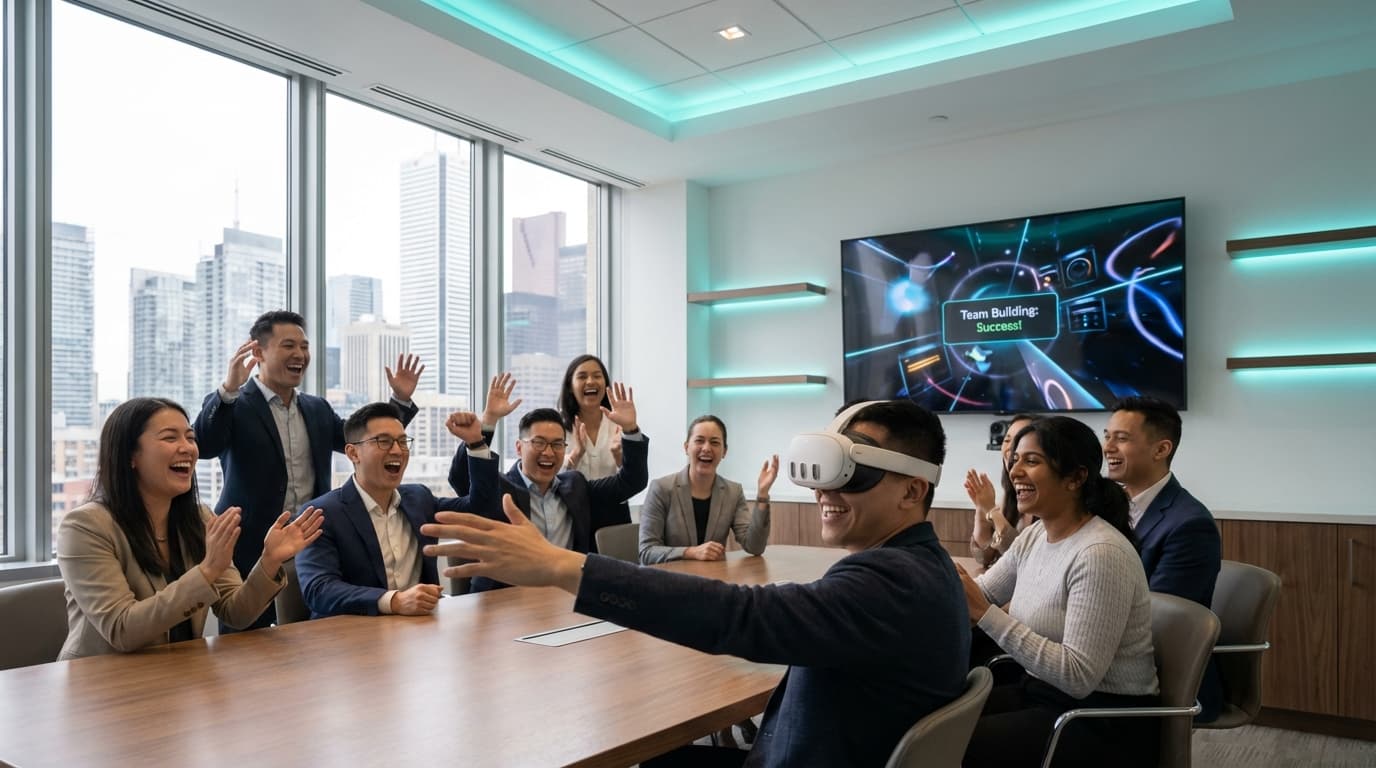
The most effective team building activities toronto for hybrid teams center around shared, low-stakes problem-solving that requires no prior skills or intense physical exertion. Managed mobile VR events bridge the gap between remote and in-office staff by turning solitary gaming into a collaborative, highly vocal spectator experience using screen casting and asymmetric multiplayer formats.
Getting hybrid employees into a downtown Toronto office for a mandatory connection day usually plays out the exact same way. Half the team hovers around the catered sandwiches in a King West boardroom, while the remote hires awkwardly try to figure out who is who without their Zoom name tags. You are staring down a three-hour event window to forge actual connections before everyone retreats to their home offices. If you bring out a whiteboard for an icebreaker, or force a trust fall, you will lose the room instantly.
Why Standard Team Building Activities Toronto for Hybrid Teams Fail
When you rent a space at the Evergreen Brick Works or clear out your Bay Street office, you need an activity that equalizes the playing field immediately. The problem with traditional team building ideas is the spotlight effect. Office trivia heavily favors the extroverts and the veterans who know the company history. Physical challenges exclude staff with mobility restrictions. Escape rooms frequently devolve into three dominant personalities solving puzzles while everyone else stands around watching the clock.
When you have a typical group size of 25 to 40 guests with mixed ages, varied physical abilities, and massive differences in tech comfort levels, the activity must force collaboration without requiring expertise. You need an environment where the quiet remote analyst and the outspoken VP of Sales are on completely equal footing. That requires engineering shared vulnerability. Mobile VR provides this perfectly because it places everyone, regardless of corporate rank, into an unfamiliar but incredibly intuitive environment.
Mobile VR Team Building: Erasing the Corporate Hierarchy
When an executive loads into a headset for the first time and immediately misses an obvious target while their new remote hires erupt in laughter, the corporate hierarchy dissolves. That shared, unfiltered reaction is exactly why VR team building packages have largely replaced the standard corporate workshops we used to see across the GTA.
We use Beat Saber heavily for this exact reason. It is a medium-intensity rhythm game that acts as the ultimate crowd-pleaser. The mechanics require zero gaming experience—you literally just swing virtual lightsabers at colored blocks to the beat of the music. But the magic doesn't happen inside the Meta Quest 3 headset; it happens in the room. Because we cast the headset view to large 55-inch spectator TVs, the solitary experience becomes a massive group event. The player gets an adrenaline rush, and the crowd gets to cheer them on. It gets the heart rate up, breaks the tension, and gives everyone an immediate shared topic of conversation.
Asymmetric Multiplayer: High Engagement for Large Groups
The most common objection we hear from event planners organizing mobile vr events canada-wide is the fear of isolation. If you just hand someone a headset and walk away, they are isolated. But over 200+ completed events, we have learned how to turn a single 6.5 x 6.5 foot space into a loud, chaotic, highly communicative group exercise.
We lean heavily on asymmetric multiplayer games like Acron: Attack of the Squirrels!. The mechanics turn the standard VR model upside down. One player wears the VR headset and controls a massive tree protecting golden acorns. Up to eight other coworkers use their own smartphones to play as squirrels trying to steal those acorns. Suddenly, one VR station becomes a 9-person activity. The staff on their phones have to strategize, yell out coordinates, and coordinate their attacks against the VR player. It forces distributed teams to communicate aggressively and laugh loudly, effectively hacking the team-building process.
Hacking Communication: Defusing Virtual Bombs
For hybrid teams that specifically struggle with cross-departmental communication, we deploy Keep Talking and Nobody Explodes. This asymmetric game is a masterclass in high-pressure, low-stakes teamwork. One person wears the VR headset and finds themselves locked in a virtual room with a ticking time bomb. They can see the bomb, but they have no idea how to defuse it.
The rest of the team sits around a boardroom table with printed physical bomb defusal manuals. They cannot see the bomb. The headset wearer must frantically describe the modules they see ("I'm looking at a panel with four colored wires: red, blue, yellow, and red!"), while the manual readers must rapidly decipher complex logic puzzles to feed instructions back to the defuser ("Cut the second wire, but only if the serial number ends in an even digit!").
With a strict 5-minute timer, polite corporate hedging vanishes. Staff are forced into direct, clear, and assertive communication. It is incredibly common to see a junior graphic designer barking vital instructions at a senior director because the timer is at 10 seconds. When the bomb is successfully defused, the entire room erupts in genuine celebration.
Overcoming the Three Massive Hurdles: Sweat, Space, and Firewalls
Corporate event planners rightly worry about logistics. When we roll our equipment into the Sheraton Centre Toronto or a Financial District boardroom, we typically have a strict 60-90 minute setup window. Over the years, we have built systems to eliminate the operational friction that kills event momentum.
First, we address hygiene aggressively. I have personally cleaned 40 headsets at midnight after a 300-person gala, and we apply that same standard to a 20-person afternoon social. We use medical-grade silicone face covers that are swapped out between every single user. We utilize UV-C sanitization and antibacterial wipes constantly. Nobody puts on a sweaty headset.
Second is the motion sickness concern. We strictly curate stationary, zero-nausea experiences for corporate environments. Across our 200+ events, fewer than 2% of guests report any discomfort. Our facilitators are trained to spot early signs of hesitation and instantly switch the guest to a more comfortable, point-and-grab experience.
Third is managing the physical space. Modern Toronto offices love floor-to-ceiling glass walls, which completely confuse the infrared tracking cameras on VR headsets. Our facilitators know exactly how to angle the play spaces, control the ambient lighting, and safely gaffer-tape heavy-duty power cables to eliminate tripping hazards.
Finally, there is the Wi-Fi. Bay Street corporate networks have brutal firewalls. Multiplayer experiences need internet access to function. We identify these hurdles weeks before the event, confirming requirements during planning. If the corporate network won't let our headsets bypass captive portal splash screens, we bring our own 5G enterprise networking gear to bypass the IT issue entirely.
Pre-Event Stakeholder Briefing Template
The difference between a disjointed gathering and a seamless corporate event comes down to advance communication. Use this exact owner-by-owner checklist to ensure nothing is missed when prepping your office.
The Event Planner / HR Lead Responsibilities
- Define the core objective (e.g., pure socialization, strategic communication, reward).
- Send calendar invites with clear dress code expectations (comfortable shoes, glasses over contacts if possible).
- Confirm the final headcount to ensure accurate 5-minute session rotations per guest.
The Venue Coordinator / Office Manager Responsibilities
- Clear a minimum 6.5 x 6.5 foot (2m x 2m) space for each standing VR station before the vendor arrives.
- Ensure access to dedicated 15-amp power outlets within 15 feet of the activation area.
- Secure elevator access and loading dock permissions for the 60-90 minute setup window.
The Corporate IT Department Responsibilities
- Whitelist required Meta Quest URLs if utilizing the internal corporate Wi-Fi network.
- Disable captive portal (splash screen) logins for the specific MAC addresses of the VR hardware.
- Confirm with the vendor if local enterprise networking gear needs to be deployed instead.
The VRPlayin Lead Facilitator Responsibilities
- Execute hardware checks, backup equipment staging, and local network deployment.
- Manage the spectator TV casting connections to ensure zero latency.
- Deliver the safety and hygiene briefing to the team before gameplay begins.
Operational Realities of Corporate Entertainment
Executing an event for distributed staff requires active facilitation. If you just leave hardware in the corner of a room, only the avid gamers will approach it. We aren't there just to provide tech support; we are there to host. A skilled facilitator knows how to read the room, identify the hesitant remote worker standing by the catering table, and guide them into an experience that matches their comfort level.
We also actively manage the rotation logistics. If you have 40 people and 4 VR stations for a 2-hour window, you cannot let one person hog a headset for 20 minutes. We run strict, fast-paced 5-minute sessions. We utilize physical whiteboards or digital leaderboards displayed on the casting TVs to keep the competitive energy high and ensure every single person gets equal play time.
We bring backup equipment to every single activation. If a controller battery dies or a headset requires an update, our trained technicians swap the hardware within minutes to guarantee zero downtime. You are paying for a seamless 2-3 hour corporate social event, and the technical execution must be flawless.
Don't let your next mandatory office day turn into another awkward standoff around a boardroom table. When you introduce shared, low-stakes digital challenges, you give people permission to drop their professional guard. Focus on activities that require collaboration over individual skill, ensure your vendor handles all technical friction, and watch your distributed staff actually enjoy being in the same room. You can review our full VR game catalog to see exactly how we match mechanics to corporate objectives.
Bring Your Hybrid Team Together
Ditch the awkward icebreakers and let us handle the entertainment for your next in-office day. We deliver, set up, and facilitate fully managed mobile VR team building events directly in your Toronto office.
SEE TEAM BUILDING PACKAGES