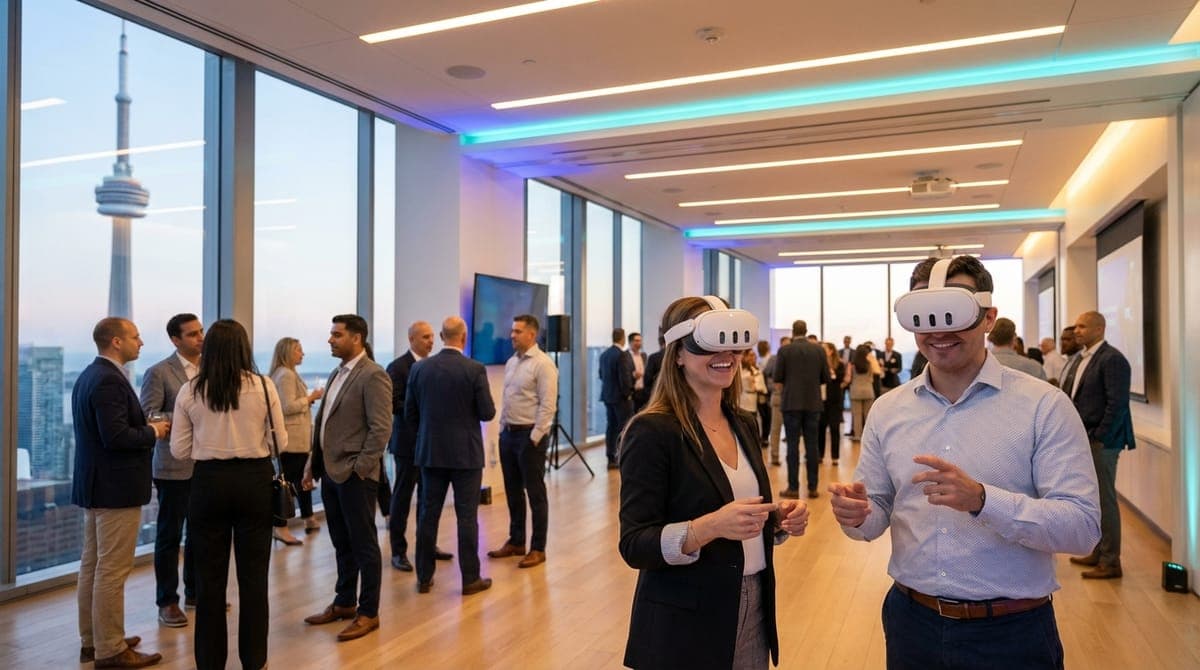
Your event planner’s checklist for mobile VR requirements comes down to three non-negotiables: a minimum 6.5 x 6.5 foot (2m x 2m) clearance per active standing station, standard 110V power access within 10 feet for charging and casting equipment, and—for multiplayer experiences—a dedicated 5GHz Wi-Fi network separate from the congested guest bandwidth. While many assume VR is "plug and play," ignoring these environmental factors is the fastest way to turn a high-tech activation into a paperweight.
I’ve seen the panic in a planner’s eyes. It was a holiday party at a swanky venue in the Financial District. The venue manager swore the Wi-Fi was "enterprise-grade." It wasn't. As soon as 300 guests started uploading selfies to Instagram, the network throttled. Our VR headsets, trying to sync a multiplayer game, hit a wall.
Because we prepare for the worst, we switched immediately to our backup localized routers and hard-wired the casting screens. The guests never knew. But the planner knew. That moment confirmed what I’ve learned across 200+ events: successful VR isn't about the game; it’s about the logistics that keep the game running.
If you are planning corporate social events or team building sessions, you don't need to be a tech expert. You just need to know what questions to ask your venue. Below is the comprehensive operational reality of running mobile VR.
1. The Complete Event Planners Checklist: Mobile VR Requirements for Space
The most common misconception I hear is, "Oh, we have plenty of room, we can squeeze you in the corner next to the bar."
Please, for the safety of your guests and the waiters carrying trays of champagne, do not squeeze us next to the bar. Space is the single biggest constraint in mobile VR, and it requires a buffer zone.
The "Guardian" Hard Limits
For a standard room-scale experience, we require a safety footprint of 6.5 x 6.5 feet (2m x 2m) per station. This isn't an arbitrary number. The Meta Quest 3 headsets we use create a virtual "Guardian" boundary using infrared sensors. If a player steps near the edge of that space, a digital grid appears in their eyes to warn them.
If the space is smaller than 6.5 feet, that grid is constantly visible. It breaks immersion immediately, reminding the user they are standing in a closet rather than floating in space.
The "Swing Factor" and Crowd Flow
The space requirement changes depending on the content mechanics. Take Beat Saber. It’s our most popular request for high-energy events. The mechanic involves dual-wielding lightsabers to slash blocks flying at you in rhythm. Players aren't just standing; they are reaching wide, ducking, and lunging side-to-side.
If you put a Beat Saber station three feet away from a structural pillar at the Steam Whistle Brewing hall, someone is going to punch that pillar. I have seen it happen (not at our events, thankfully).
Furthermore, you need to account for the Spectator Buffer. VR is a spectator sport. If we have a TV screen set up showing the gameplay, 5-10 people will gather around it. If your 6.5x6.5 play zone is right against a high-traffic walkway, that crowd will block the flow of the event. We recommend an additional 3 feet of depth for the "cheerleading zone."
The Spatial Checklist:
- Active Play Area: 6.5' x 6.5' clear space (no tables, chairs, or plants).
- Spectator Zone: Additional 3' depth for TV stand and onlookers.
- Vertical Clearance: Minimum 8 feet. (Watch out for low-hanging chandeliers in older Yorkville venues or low bulkheads in basement conference rooms).
- Flooring: Flat, non-slip surfaces are best. Thick shag rugs can be a tripping hazard.
2. Wi-Fi and Connectivity: The Invisible Dealbreaker
"Does the venue have Wi-Fi?" is the wrong question. The right question is: "Can the venue guarantee 50 Mbps stable bandwidth on a 5GHz band with low latency, even when 200 people are in the room?"
Usually, the answer is no. Most venue Wi-Fi networks utilize a "Captive Portal"—that splash page where you have to agree to terms and conditions. VR headsets struggle significantly with these portals.
The Multiplayer Demand
We use the Meta Quest 3 Business Edition. While standalone headsets don't need a PC, they often need the internet for two things: multiplayer synchronization and casting to spectator TVs.
If you want mobile VR team building that actually feels like a team effort, you want multiplayer. Consider Acron: Attack of the Squirrels!. This is an asymmetric game where one person is in VR (the tree) and up to eight other people play on their smartphones (the squirrels) trying to steal acorns. It turns a single VR station into a 9-person party game.
For Acron to work, the headset and all eight phones must talk to each other instantly. If the venue’s guest network utilizes Client Isolation (a common security feature in hotels like the Fairmont Royal York or Hilton), the devices cannot communicate locally. The game simply won't connect.
Our Solution: The Local Bubble
We typically bring our own enterprise-grade Wi-Fi 6 routers to create a "Local Bubble." This bypasses the venue's guest network entirely for device-to-device communication. However, for this to work optimally, we need to minimize interference.
The Connectivity Checklist:
- Offline Capability: Ask if your desired games run offline. (Job Simulator = Yes; Rec Room = No).
- Ethernet Drops: If we need to pull live data, does the room have a hardline ethernet port? Wireless is good; wired is better.
- Interference Check: Are we set up next to a microwave or a massive server rack? These can interfere with 5GHz signals.
3. Power: Why "Wireless" Still Needs Wires
The Meta Quest 3 is a battery beast. On its own, running high-fidelity mixed reality, it lasts about 90 minutes to 2 hours. Our events typically run 2-3 hours. You do the math.
We mitigate this by outfitting every headset with extended battery elite straps, which doubles the runtime. However, we never rely solely on batteries. Between rotations—while we are sanitizing the equipment—we are often plugging in for a quick top-up.
The Amp Draw Reality
More importantly, the Spectator TV needs power. A VR event without a TV is just a person wearing a mask waving at the air. The TV is what draws the crowd. It allows the CEO, the intern, and the VP of Sales to laugh together at what the player is seeing. That TV needs a standard 110V outlet.
If you have hired us for a 4-station activation, that means 4 TVs, 4 Chromecasts/Hubs, and charging blocks for 4 headsets. While the total amperage isn't massive, daisy-chaining four power bars into one loose floor outlet is a recipe for a tripped breaker.
The Power Checklist:
- Outlet Proximity: One standard outlet within 10-15 feet of the play area per station.
- Cable Management: We tape down all cords with gaffer tape to prevent tripping, but we need a path to the wall that doesn't cross a primary fire exit path.
- Dedicated Circuits: Ideally, the VR station isn't on the same circuit as the DJ's massive subwoofer or the catering coffee urns (which draw huge power).
4. Lighting and Mirrors: The Hidden Tech Killers
This is a detail that 90% of event planners miss until the day of the event. VR headsets use external cameras to "see" the world and track the controllers. They rely on contrast and infrared light.
I once scoped a venue in Liberty Village that was essentially a glass box. Floor-to-ceiling windows on three sides, mirrors on the fourth. It looked stunning. For VR, it was a nightmare. The sunlight washed out the controller tracking rings, and the mirrors confused the headset (it saw two versions of the room, causing the virtual world to spin).
We solved it by positioning the stations away from direct sunlight and using pipe-and-drape to cover the largest mirrors. If you are booking a venue with a disco ball, strobes, or heavy fog machines, let us know immediately.
The Environmental Checklist:
- Sunlight: Direct sun into the lenses acts like a magnifying glass on an ant—it will burn the screen pixels permanently in seconds.
- Reflective Surfaces: Be mindful of rooms with wall-to-wall mirrors (dance studios, gyms).
- Lighting Levels: Total darkness doesn't work. We need ambient light for the cameras to track the environment. If it's a "club vibe" event, we may need to bring IR illuminators.
- Fog/Haze: Thick theatrical fog can occlude the cameras, causing the headset to lose tracking.
5. Audio Dynamics: Managing the Noise Bleed
VR is an audiovisual medium. The immersion breaks if the user can't hear the game. However, events are loud. If you have a keynote speaker presenting in the same room, you do not want a VR player screaming in terror because they just fell off a plank in Richie's Plank Experience.
We offer two audio setups:
- External Audio (TV Speakers): Best for social vibes. It draws people in. However, it adds to the ambient noise floor.
- Headphones (Closed Back): Best for immersion. The user hears nothing but the game. The downside? They can't hear the brand ambassador giving them instructions, which can slow down throughput.
For most corporate mixers, we use the headset's built-in directed audio straps. It keeps the sound focused on the player's ears without bleeding into the room, allowing them to still hear instructions if we speak up.
6. Throughput and Flow: The Math of Engagement
At a recent trade show at the Metro Toronto Convention Centre, a client wanted to run a 15-minute VR escape room experience. They expected 500 visitors a day. I had to pull out the calculator.
500 visitors x 15 minutes / 60 minutes = 125 hours of gameplay. With two headsets, that would take 62.5 hours. The show was open for 8 hours. That means only ~60 people would get to play, leaving 440 people frustrated in a line.
When planning your event, you must balance depth with throughput. For large crowds, we recommend short, punchy experiences. Here is a generic throughput guide:
- High Throughput (Trade Shows): Richie's Plank Experience, Space Pirate Trainer. (2-4 mins/person). Throughput: ~15-20 people per hour, per station.
- Medium Throughput (Cocktail Parties): Beat Saber, Fruit Ninja. (5-7 mins/person). Throughput: ~8-10 people per hour, per station.
- Low Throughput (Team Building): Keep Talking and Nobody Explodes, Escape Rooms. (15-20 mins/person). Throughput: ~3-4 people per hour, per station.
7. Hygiene Protocols: The Post-2020 Standard
Let’s address the elephant in the room: putting a device on your face that a stranger just wore. In the corporate events world, visible hygiene isn't just safety; it's theatre. It reassures guests that you care about their well-being.
We adhere to a strict "Clean-In, Clean-Out" protocol. This affects your event timing. We need approximately 60 seconds between users to perform this ritual.
The Hygiene Checklist:
- Silicon Face Covers: We swap the standard foam interfaces (which absorb sweat) for medical-grade silicon that can be sanitized instantly.
- Alcohol-Free Wipes: We use specific wipes that kill bacteria but don't degrade the lens coating.
- Disposable Masks: For high-sensitivity groups, we offer disposable "ninja masks" that act as a barrier between skin and headset.
Expert Insight: The Load-In Logistics
Here is the stuff that never makes it into the glossy brochure but saves your sanity on event day. Toronto traffic and parking are brutal. If your event is at a venue with a difficult loading dock—like some of the older buildings on King West where the freight elevator is the size of a shoebox—we need to know.
Mobile VR is "mobile," but we travel with heavy-duty Pelican cases, TV stands, TVs, and trussing. We aren't just walking in with a backpack. When we calculate your setup time (typically 60-90 minutes), we are factoring in the load-in path. If we have to carry gear up three flights of stairs because the elevator is broken, that eats into the testing time. Clear communication on load-in creates a seamless start time.
You can see more about how we handle these logistics on our custom quote page, where we ask these specific questions upfront.
The Bottom Line
VR is a powerful tool for engagement, but it relies on physical infrastructure. If you can guarantee a 6.5-foot square, a standard power outlet, and a conversation about lighting and Wi-Fi before we arrive, you’ve already solved 99% of the potential issues.
We handle the hardware, the hygiene, and the hosting. You provide the space and the people. When those elements align, you get the kind of event where the VP of People & Culture sends you an email the next morning saying, "We've booked VRPlayin three times now. Each event, they bring something new and the team loves it."
Planning a Corporate Event in Toronto?
We handle all the technical logistics—power, Wi-Fi, space setup, and equipment—so you don't have to. Just tell us the venue and group size.
VIEW TEAM BUILDING PACKAGES