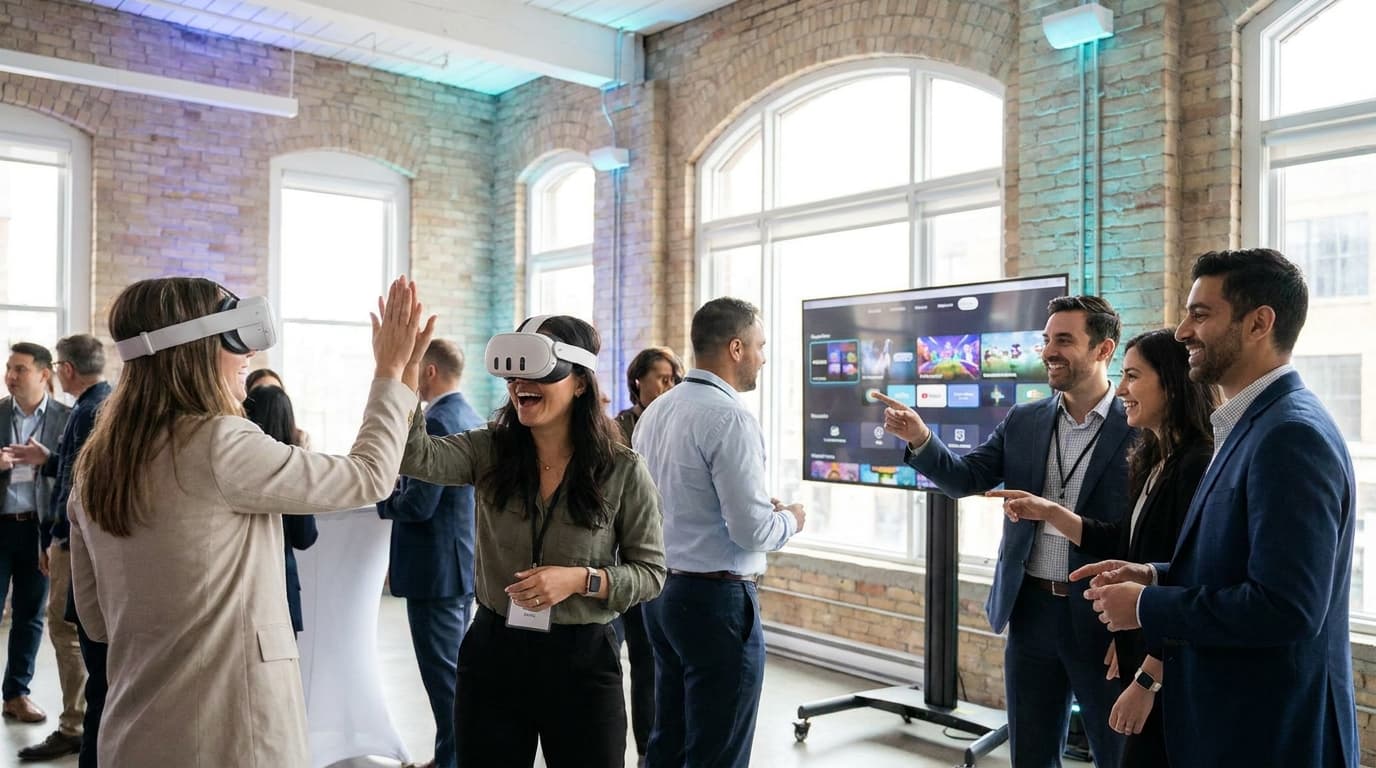
An effective event entertainment planning checklist for hybrid teams maps out inclusive, low-barrier activities that bridge the gap between remote and in-office staff. It prioritizes interactive setups requiring zero prior skill, enforces strict space logistics (minimum 6.5 by 6.5 feet per active standing participant), and structures 2-5 minute rapid-turnaround experiences to keep energy consistently high across the entire room.
You flew half your engineering team in from Calgary, while the marketing department took the GO train down from Vaughan to a high-end rental space at The Carlu. The VP of People & Culture is standing by the bar, watching the room. You have three hours to ensure the remote developers who only communicate via Slack actually bond with the Bay Street executives who practically live in the office.
If you rely on a standard open bar and background music, you already know what happens. By 7:30 PM, the in-office cliques will form tight circles, the remote staff will scroll on their phones, and half the room will quietly slip out to catch an early Uber. Bridging the gap between distributed teams requires forced, structured, and inherently ridiculous shared experiences.
Structuring Your Event Entertainment Planning Checklist for Hybrid Teams
Execution is everything. Across 200+ GTA corporate events, I've watched brilliant concepts fail because planners ignored throughput. If you have 40 guests and an activity takes 15 minutes per person, the math fails. Focus on high-rotation, low-friction setups.
We break our operational planning down into three non-negotiable phases for corporate social events. Ignore these at your own risk.
Phase 1: The Spatial Audit
Interactive entertainment requires physical footprints that catering and standard seating do not. Before booking your vendor, map the venue.
- Identify ceiling heights and light fixtures (guests will raise their arms).
- Map out 6.5 x 6.5 feet (2m x 2m) of empty floor space per standing station.
- Map out 3 x 3 feet for seated, stationary experiences.
- Locate dedicated 15-amp power circuits (never share a circuit with the DJ or catering hot plates).
- Confirm spectator sightlines. The people not participating need a clear view of the TV casting screens.
Phase 2: The Time & Throughput Calculation
Downtime kills event momentum. Hybrid teams need constant, rapid engagement to break the ice.
- Calculate your total guest count (our average group size is 25-40 guests).
- Divide total event time by guest count to determine maximum turn length.
- Enforce a hard 2-5 minute session limit per guest during peak hours.
- Factor in 60-90 minutes for vendor setup before the event starts.
- Schedule 30-45 minutes for vendor teardown after the event.
Phase 3: The Hygiene & Risk Protocol
Corporate liability and attendee comfort are paramount. Shared equipment requires rigorous, visible cleaning standards.
- Mandate medical-grade silicone face covers for all headsets.
- Require complete equipment wipe-downs between every single user.
- Ensure your vendor uses UV-C sanitization and antibacterial wipes.
- Place standalone hand sanitizer stations adjacent to the play area.
Leveling the Playing Field with Interactive Entertainment Planning
Inside jokes won't unite a distributed workforce. Effective interactive entertainment planning requires activities where the CEO and junior graphic designer are equally out of their depth, instantly stripping away corporate hierarchy.
This is why we curate software for non-gamers. Put a skeptical accountant in Job Simulator. The mechanics are simple: wear the Meta Quest 3 and exist in a robot-run world. Point, grab, throw. Try to make a sandwich while floating CRT monitors yell at you. Zero gaming skill required.
When the quiet remote analyst from Markham turns out to be an agent of pure chaos, throwing virtual staplers over a cubicle wall while their in-office managers roar with laughter watching the spectator TV, the ice shatters. That shared absurdity builds trust faster than any forced networking seminar. It gives them something to talk about on Slack the next morning.
Venue Realities: Navigating Space and Logistics in Toronto
Running interactive tech at the Metro Toronto Convention Centre is vastly different from setting up in a cramped Bay Street boardroom. Every venue introduces unique friction points.
Planners often fear motion sickness, assuming virtual reality means rollercoasters. We strictly curate zero-nausea, stationary experiences with no artificial locomotion. Across our 200+ events, fewer than 2% of guests report discomfort. Our facilitators actively spot early signs—heavy swallowing, quietness, sweating—and immediately pause the session.
Multiplayer experiences demand stable Wi-Fi; single-player runs offline. Never assume a venue's guest network can handle dedicated VR hardware. We verify this during planning and deploy our own enterprise networking gear to bypass restrictive venue firewalls.
We do not leave these logistics to chance, which is why planners trust the process. As one VP of People & Culture at a local SaaS company noted: "We've booked VRPlayin three times now. Each event, they bring something new and the team loves it."
The Live-Event Troubleshooting Flowchart
Even with the best event planning ideas, live events are unpredictable. Someone will trip over a cable. The venue Wi-Fi will drop. A lineup will bottleneck. Here is the exact troubleshooting logic our technicians use on the floor. Print this and give it to your on-site coordinators.
Scenario A: The Lineup Bottleneck
The Trigger: The line for the entertainment station exceeds six people, and guests are looking at their watches.
Step 1: Intervene immediately and adjust the software timer. Hard cap all active sessions at exactly 3 minutes.
Step 2: Switch the active game to a high-turnover experience rather than a puzzle-based game.
Step 3: Announce the time limit to the line cheerfully to manage expectations. ("We're switching to rapid-fire mode so everyone gets a turn!")
Scenario B: The Venue Network Fails
The Trigger: The venue's dedicated Wi-Fi suddenly drops during a multiplayer session, freezing the activity.
Step 1: Do not waste time hunting down the venue IT manager. You will lose the crowd's attention.
Step 2: Instantly pivot all hardware to offline, single-player experiences.
Step 3: Keep the energy moving while a secondary coordinator resets the enterprise router in the background.
Scenario C: Hardware Failure or Battery Drain
The Trigger: A headset battery dies faster than anticipated, or a controller stops tracking.
Step 1: Apologize to the user and immediately hand them a backup unit from the road case.
Step 2: Swap the hardware within 60 seconds for zero downtime.
Step 3: Quarantine the failed unit in the charging station and troubleshoot it only when the line is empty.
Bringing High Energy: Mobile VR Events Canada
Veteran event planners use pacing as a secret weapon. A three-hour event needs distinct energy peaks. When initial mingling dies down and catering clears, you must spike the room's adrenaline. This is exactly why mobile vr events canada have become a staple for hybrid workforce gatherings.
To inject instant life into a sluggish room, we launch Beat Saber. The concept is universally understood in seconds: slash incoming blocks to high-energy music. Slashing blocks to the rhythm raises heart rates and creates a spectator spectacle that pushes even reserved executives to compete for the high score.
We specifically recommend saving high-energy activities for the second half of your event block. Let people warm up with low-stakes puzzle games from our full VR game catalog before challenging them to rhythmic cardio.
Executing Without Excuses
I have personally cleaned 40 headsets at midnight after a 300-person gala. I have watched introverted developers high-five extroverted salespeople they met for the first time 10 minutes prior. You don't endure the operational grind of event production unless you know the impact it has on company culture.
Bottom line: prioritize throughput and shared observation. Interactive entertainment's true value lies in watching coworkers react to real-time absurdity. Keep sessions short, make hygiene standards aggressively visible, and never rely on venue Wi-Fi without a backup plan.
Bring High-Energy VR to Your Next Hybrid Event
Skip the awkward mingling and force real connection among your distributed staff. Let us handle the heavy lifting with full-service mobile VR team building, completely managed from setup to teardown.
SEE TEAM BUILDING PACKAGES