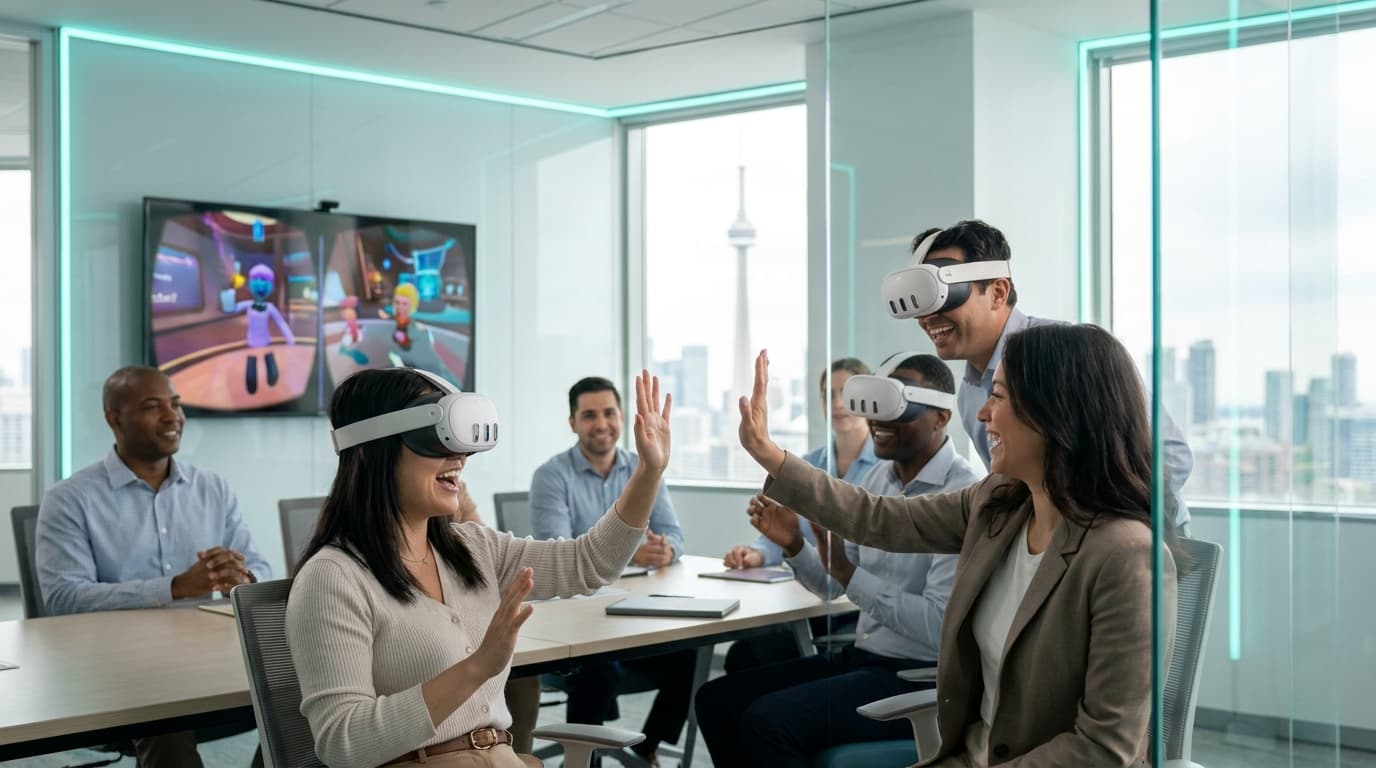
A functional event entertainment planning checklist checklist requires four non-negotiable elements: verified venue space specifications, a mapped-out guest flow timeline, a detailed line-item budget including hidden venue fees, and a documented risk-mitigation protocol for equipment and hygiene. Skipping any of these guarantees on-site friction.
You are standing in the loading dock of the Metro Toronto Convention Centre. It is 6:00 PM. Your 300-person gala starts in exactly sixty minutes. The caterers are arguing about union rules for the freight elevator, the lighting tech is looking for a missing DMX cable, and your interactive entertainment vendor just realized they need a hardwired ethernet drop because the 2.4GHz Wi-Fi is completely congested by guest smartphones. The venue is going to charge you $1,500 for that dedicated internet access on the spot. I have watched this exact scenario unfold more times than I can count.
As an operator who has personally executed over 200 mobile VR events across the GTA, I know that mood boards and concept decks look great in client meetings, but ruthless execution is what determines if you keep your job. You don't need a Pinterest board; you need a militant operational blueprint to survive contact with the guest list.
1. The Event Entertainment Planning Checklist Checklist: Venue Space and Power
Event vendors are notoriously optimistic about their footprint. They will tell you they can squeeze a high-end activation into a defunct coat check corner at The Carlu. Do not let them. When evaluating space requirements for your event entertainment planning checklist checklist, demand exact square footage, ceiling height minimums, and power draw metrics before you sign a contract.
For mobile VR setups, we require a minimum of 6.5 x 6.5 feet (2m x 2m) per standing station. Seated or stationary experiences need 3 x 3 feet. This is not a suggestion; it is a hard physical boundary required to prevent a guest from punching a structural column or a passing server while playing an immersive game. We assess your space during the planning phase because a floor plan drawn in 2018 rarely accounts for the new bar installation or temporary staging.
Power is the silent killer of great events. I have seen planners plug three high-draw entertainment activations into a single 15-amp circuit shared with the catering team's industrial coffee urns at the Evergreen Brick Works. Thirty minutes into the event, the breaker trips, taking the music, the ambient uplighting, and the entertainment with it. Demand a power map. Ask your vendor exactly how many outlets they need, specify whether they require 15-amp or 20-amp circuits, and stipulate that they cannot share a line with food service or A/V equipment. For our Meta Quest 3 Business Edition hardware, we run mostly on extended battery straps, meaning we pull minimal wall power for the headsets, but we still verify every outlet for our spectator TVs and networking routers during our strict 60-90 minute setup window.
2. Controlling the Pacing, Queues, and Guest Flow
The fastest way to kill the energy in a room is a 45-minute line for a three-minute experience. You need to calculate throughput mathematically, not emotionally. If you have an average group size of 250 guests for a standard 3-hour event, and you want at least 40% of them to participate, you need to know exactly how long each turn takes, the reset time between users, and how the vendor handles transitions.
We aim for 3-5 minutes per turn depending on the event size. But throughput is only half the battle; the other half is spectator engagement. If the people in line are bored, they will abandon the queue for the open bar and never return. This is why spectator TV casting is mandatory for our setups. When people standing in a Financial District ballroom watch their VP blindly swinging at a virtual golf ball on a massive 55-inch display, the queue ceases to be a waiting line and becomes a social hub.
For these environments, we deploy Walkabout Mini Golf. It is the gold standard for social VR in corporate settings. Players navigate beautiful courses ranging from pirate coves to space stations. Because the pace is entirely controlled by the user, it is perfect for chatting while playing. The mechanics are simple enough that a 60-year-old CEO who hasn't touched a video game since Pac-Man can step in, grab the controller, and instantly understand how to putt. Flow is maintained because the learning curve is zero.
3. The Financial Blueprint: Budgeting Beyond the Sticker Price
Hidden costs destroy event margins. When you evaluate an entertainment vendor, the initial sticker price is rarely the final invoice unless you demand comprehensive itemization. Planners need a transparent sample budget breakdown to cross-reference against their master ledger. A reliable vendor clearly outlines their deposit structure—we require a 50% deposit to secure the booking, with the balance due on event day—and provides a clear 14-day cancellation policy.
You also need to account for venue-specific fees. Does the venue charge a drayage fee for vendors bringing equipment through the loading dock? Does the venue mandate union labor to plug in a simple TV monitor? Below is a sample budget breakdown for a standard 40-person activation. Do not accept quotes that bundle these items into one vague "service fee."
Sample Entertainment Budget Breakdown
- Base Activation Package (3 Stations, 3 Hours): $1,200.00 (Includes all Meta Quest 3 hardware, enterprise routers, backup units, and software licensing)
- On-Site Facilitation: $300.00 (Two trained technicians for setup, active queue management, and teardown)
- Hygiene & Consumables: Included (Medical-grade silicone covers, UV-C sanitization, antibacterial wipes)
- Travel & Logistics: $75.00 (Distance-based fee for a downtown Toronto venue, covering fuel, parking, and secure hardware transport)
- Venue Wi-Fi Bypass: Included (We provide our own closed-loop 5GHz network to avoid venue internet charges)
- Liability Insurance Certificate: Included (Provided to venue upon request; $2M General Liability, must be finalized two weeks prior)
- Subtotal: $1,575.00
- HST (13%): $204.75
- Total Estimated Investment: $1,779.75
This level of transparency is what you should expect when sourcing any corporate social events. If a vendor hesitates to itemize their quote, they are likely going to hit you with a surprise travel or "technical support" fee on the day of the event.
4. Mitigating Risk: Hygiene and the Motion Sickness Myth
You cannot put a shared wearable device on a senior executive without a flawless, highly visible hygiene protocol. The days of wiping down a porous foam headset with a generic paper towel are entirely over. If your vendor sanitation audit is missing from your documentation, you are exposing your guests and your company to massive, unnecessary risk.
We use non-porous, medical-grade silicone face covers that are swapped out between every single user. We employ UV-C sanitization wands on all equipment, utilize specialized alcohol-free antibacterial wipes to protect the lenses while destroying pathogens, and mandate hand sanitizer stations at every terminal. I have personally cleaned and sanitized 40 headsets at midnight after a massive holiday gala in Liberty Village. It is tedious, exacting work, but it is the only acceptable way to operate.
The second major risk planners fear is motion sickness. We bypass this entirely through strict content curation. We deploy zero-nausea experiences exclusively—meaning stationary or room-scale gameplay with absolutely no artificial joystick locomotion. Over our history of 200+ completed events, fewer than 2% of guests have reported any discomfort. Our facilitators are rigorously trained to spot early physical signs of sensory overload—like heavy swaying or hesitation—and seamlessly switch the user to a more comfortable, grounded experience instantly.
5. Strategic Content Curation: Aligning with Objectives
Entertainment should not exist in a vacuum; it must serve the objective of the gathering. A common trap in corporate event planning is assuming that high-tech requires high-skill. When you curate entertainment for non-gamers, if a game takes more than 30 seconds to explain, it is dead on arrival on a convention floor.
Consider Cook-Out: A Sandwich Tale. This is a 2-4 player low-intensity game where teams must delegate, chop, and serve food while magical creatures cause absolute chaos in a fairytale kitchen. It is our number one most requested game for breaking the ice. When a team of 40 accountants from Bay Street loads into Cook-Out and the quiet junior analyst turns out to be the only one who can coordinate sandwich orders under pressure—that is the moment actual trust forms. No awkward trust falls or expensive off-site rope courses are required. The shared objective forces communication, breaking down hierarchical barriers instantly.
For events heavily focused on communication, we deploy asymmetric games like Keep Talking and Nobody Explodes. One person is in VR looking at a complex ticking bomb. The rest of the team is in the real world looking at the defusal manual on a tablet. They must talk each other through the defusal process before the timer runs out. It turns the entire crowd into active participants, not just passive watchers.
This deliberate curation is why our repeat booking rate sits at 40%, and why our Google review rating holds steady at 4.9 stars. As one client recently noted:
"Best team event we've ever organized. The technology was seamless, but the actual team dynamics it brought out were incredible. Everyone was talking about it for weeks." — HR Director, Financial Services Firm
If you are looking to integrate this level of strategic engagement into your programming, reviewing dedicated VR team building packages will show you exactly how different software titles map to different corporate objectives.
6. The Critical Teardown Window and Post-Mortem
Event planners hyper-focus on the load-in, but the load-out is where your relationship with the venue is truly tested. A professional vendor knows that their 30-45 minute teardown time is a critical operational metric. When the lights come up at a Palais Royale reception, your entertainment team should be breaking down silently and efficiently.
We pack our enterprise networking gear, tripods, and backup equipment into rolling Pelican hard cases while guests are still finding their coats. We strike our cables without leaving adhesive residue on the venue floors. If a vendor leaves a mess of gaff tape and tangled HDMI cables on the floor for the venue staff to navigate, you will be the one hearing about it from the catering captain or the venue manager the next morning.
As you build out your master vendor sheet, demand operational specificity. Make them walk you through their power draw, their throughput math, their Wi-Fi dependencies, and their sanitation protocols. The best interactive entertainment feels effortless to the guest precisely because every single logistical failure point was engineered out of the system weeks in advance.
Remove the Guesswork from Your Next Event
Stop worrying about throughput, power draws, and guest engagement. Let our experienced technicians handle the heavy lifting while you take the credit for a flawlessly executed corporate social or team building session.
GET A CUSTOM QUOTE