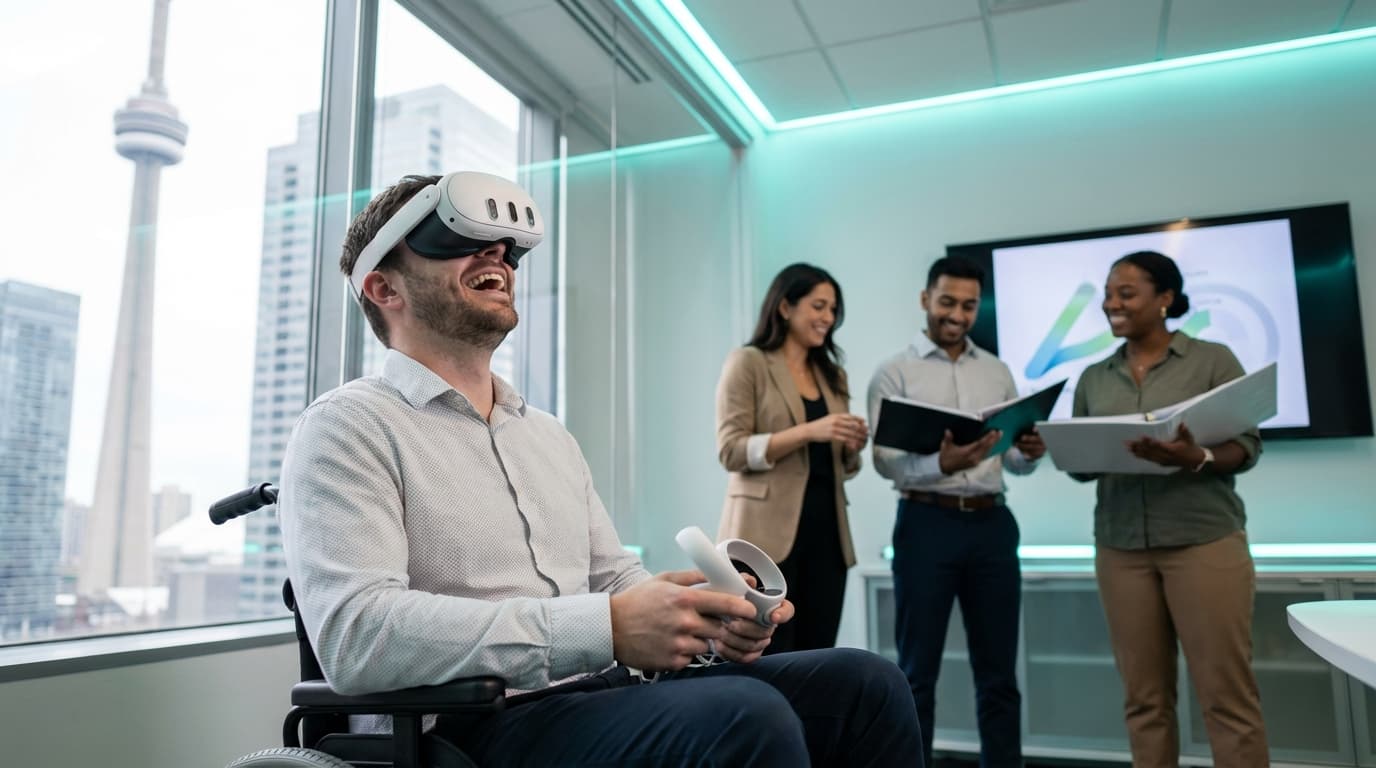
When sourcing accessible team building activities, Toronto event planners face a massive logistical headache. The default corporate options natively exclude people. Mobile VR setups solve this by bringing stationary, comfortable, and intuitive virtual experiences directly to your office or venue. We engineer environments where guests of all physical abilities, ages, and technical backgrounds participate equally, leaving absolutely no one on the sidelines.
Picture your last corporate social at a Liberty Village axe-throwing venue, a high-ropes course, or a chaotic escape room near King West. A fraction of the team dives in immediately. The rest stand awkwardly near the coat racks holding lukewarm drinks. The competitive sales interns dominate the physical activity, the senior director with a bad shoulder quietly waits for the evening to end, and the pregnant HR manager is just trying to find a comfortable chair. The divide between active participants and passive observers happens within the first ten minutes.
I have personally facilitated over 200 VR events across the corporate scene, and I've watched standard team building ideas fail because they confuse physical exertion with engagement. True inclusion means designing an event where the quiet analyst, the neurodivergent developer, and the extroverted VP have the exact same barrier to entry. We achieve that by bringing Meta Quest 3 Business Edition hardware directly into your space, stripping away the friction, and building an ecosystem where participation is effortless.
Defeating VR Anxiety with Passthrough Technology
One of the biggest hidden barriers to accessibility is sensory anxiety. Putting a blindfold on and isolating yourself from your coworkers is an immediate "no" for many attendees. We eliminate claustrophobia by leveraging the Quest 3's full-color passthrough technology.
Before a guest even enters a virtual world, they see the real room around them through the headset's cameras. If someone feels overwhelmed during gameplay, they don't need to rip the hardware off—they simply double-tap the side of the headset. Instantly, the game fades away, and they are looking back at their coworkers in the real world. Giving participants this immediate, physical "eject button" removes 90% of the hesitation associated with trying virtual reality.
The Non-Gamer Advantage in Mobile VR Events Canada
The immediate objection I hear from Bay Street office managers is: "Half my team doesn't play video games." That is exactly who we design these events for. If a virtual reality experience requires a user to memorize complex controller buttons or navigate dual joysticks, we refuse to run it at a corporate gathering.
When a group of 40 accountants loads into a virtual environment, we start them with Job Simulator. The hook is simple: it is a hilarious parody of everyday jobs set in a future where robots have replaced all humans. You point, you grab, and you throw. Watching a serious executive figure out how to throw a virtual stapler at a floating robot desk-clerk is pure chaotic fun. Because the mechanics mimic real-world physics, the learning curve is less than ten seconds.
For true collaboration, we deploy Keep Talking and Nobody Explodes—the ultimate asymmetrical accessible VR game. Only one person wears the headset, trapped in a virtual room with a ticking bomb. The rest of the team sits around a physical table with printed paper manuals, frantically communicating defusal instructions. It requires zero physical exertion, engages analytical problem-solvers, and ensures the introverted staff member reading the manual has as much critical input as the person in VR. This is what true team building looks like.
For groups looking to casually network, Walkabout Mini Golf is the gold standard for social VR. It supports one to four players in a low-intensity setting. The mechanics mirror reality—you simply swing a putter. You navigate beautiful courses ranging from pirate coves to space stations, replicating the relaxed social dynamics of a real golf course without the weather dependencies, travel logistics, or physical strain.
We broadcast these live feeds directly to spectator TVs using dedicated casting equipment. The magic of VR team building packages is rarely just what happens inside the headset; it is the crowd of coworkers gathered around the 65-inch screen, laughing at their manager attempting to bake a digital pizza or incorrectly defuse a virtual bomb. That shared spectator experience turns an isolated activity into a highly social, room-wide event.
Accessible Team Building Activities Toronto: Throughput, Space, and Math
Executing an inclusive event is a math problem. If you book a massive ballroom at The Carlu or the Fairmont Royal York for a 300-person gala, setting up a single activity station is a recipe for bottlenecks. You cannot claim an event is accessible if participants have to wait forty-five minutes for a turn.
Our standard event duration is two to three hours, with an average group size of 25 to 40 guests for smaller office parties, scaling up into the hundreds for conventions. By keeping the average session per guest to a tightly managed three to five minutes, we maintain high energy and constant rotation.
2-Headset Setup (The Boardroom Standard)
Serves approximately 24 to 30 guests per hour. This configuration is ideal for small off-sites, private Yorkville event spaces, or a standard boardroom. It requires minimal floor space and allows two facilitators to keep the rotation moving efficiently while answering questions.
4-Headset Setup (The Corporate Social Sweet Spot)
Serves approximately 48 to 60 guests per hour. We frequently deploy this package for corporate social events in mid-sized venues like Steam Whistle Brewing. It creates enough concurrent action that spectator screens are constantly showing different gameplay, keeping the background crowd highly entertained.
6-Headset Setup (The Gala & Convention Engine)
Serves approximately 72 to 90 guests per hour. When you are running a massive activation at the Metro Toronto Convention Centre or Enercare Centre, throughput is everything. Six headsets require a larger footprint but guarantee rapid line movement, preventing attendee fatigue and ensuring maximum participation across a massive guest list.
Mobility Accommodations and Zero-Nausea Policies
Accessibility means physical accommodation. A standard standing station requires a 6.5 by 6.5 feet (2m x 2m) footprint to ensure absolute safety. However, for guests using wheelchairs, mobility devices, or those who simply prefer not to stand, our facilitators instantly toggle a stationary seated boundary. We automatically adjust the virtual floor height, ensuring a seated user experiences the exact same gameplay perspective as a standing user without feeling disadvantaged.
You also cannot discuss accessibility without addressing motion sickness. The old, tethered VR systems from 2016 gave the technology a reputation for nausea. We bypass this entirely through strict content curation. We only run zero-nausea, stationary experiences. There is no artificial locomotion—meaning your digital character only moves when your physical body moves. Across our 200+ completed events, fewer than 2% of guests have reported any discomfort.
The Uncompromising Reality of Shared Hardware Hygiene
An event ceases to be inclusive the moment an attendee feels uncomfortable putting shared equipment on their face. If you have ever watched an inexperienced vendor hand a sweaty foam headset to a CEO, you know the exact cringe I am talking about.
I have personally cleaned 40 headsets at midnight after a massive corporate gala, and I will do it again tomorrow because medical-grade hygiene is non-negotiable. We completely remove the porous factory foam from our hardware. Instead, we utilize medical-grade silicone face covers that are wiped down and replaced between every single user. We employ UV-C sanitization on all equipment. We provide automated hand sanitizer stations, and our technicians aggressively wipe down controllers with antibacterial solutions before, during, and after the event. Our extreme standard for cleanliness removes the invisible hygiene barriers that make cautious attendees hesitate.
Expert Insight: The Facilitator's Role in True Inclusion
The hardware is only 20% of the equation. The other 80% is human facilitation. When an anxious guest puts on a headset for the first time, their brain is temporarily disconnected from reality. A poor vendor hands them a controller and walks away, leaving them to flounder. An expert operator stands close by, speaks in a calm, clear voice to orient them, and safely guides them through the interface.
We bring fully configured backup equipment to every single deployment because technical failure is inevitable in live events. If a headset stops casting, an audio strap glitches, or a battery fails, my trained technicians swap the hardware within two minutes. The client never sees a blue screen, and the queue never stops moving. That level of operational paranoia is exactly why we maintain a 40% repeat booking rate and a flawless 5-star Google rating. Event planners quickly realize the difference between renting a gadget and hiring an execution partner.
As one HR Director from a major financial services firm recently told us: "Best team event we've ever organized. Everyone was talking about it for weeks." That reaction only happens when every single person in the room—regardless of age, ability, or technical skill—gets a chance to actively play.
Building Your Inclusive Event Plan
Organizing accessible team building activities Toronto employees actually look forward to requires ditching the default options. Stop forcing your teams into physical challenges that naturally isolate portions of your staff. By introducing thoughtfully facilitated mobile VR, you give everyone a truly level playing field.
You can explore our full VR game catalog to see exactly how we match content to diverse corporate crowds. Keep your throughput math in mind, ensure your vendor brings dedicated spectator casting, and prioritize physical accommodations and hygiene above all else.
Even if you decide against virtual reality for your upcoming quarterly review, apply this same operational lens to whatever vendor you hire. Ask them for their exact throughput numbers. Ask them how they accommodate the guest using a wheelchair or the employee with sensory processing anxiety. If they do not have immediate, data-backed answers, keep looking. Your team's culture depends on it.
Plan an Event Everyone Can Actually Participate In
Stop guessing if your team will enjoy their next off-site. We bring the hardware, handle the throughput math, and facilitate accessible experiences that guarantee 100% participation for your Toronto corporate socials and team building events.
SEE TEAM BUILDING PACKAGES